
DigiCert is widely regarded as one of the most trusted SSL certificate authorities in the world, particularly among enterprises, government organizations, and regulated industries. Known for its strict validation processes, premium support, and strong brand reputation, DigiCert positions itself at the top end of the SSL market.
Unlike budget-focused SSL providers, DigiCert does not compete on price. Instead, it emphasizes trust, compliance, reliability, and enterprise-grade certificate management. This makes it a popular choice for large organizations—but also raises an important question for most website owners:
Is DigiCert SSL worth the high cost compared to other trusted SSL providers?
This review answers that question by examining DigiCert SSL from a real-world, buyer-focused perspective, covering security, ease of use, performance, pricing, customer support, global adoption, and how it compares to alternatives like Comodo (Sectigo) and GeoTrust.
What This DigiCert SSL Review Covers
This DigiCert SSL review answers that question by examining DigiCert SSL from a real-world, buyer-focused perspective, covering security, ease of use, performance, DigiCert SSL pricing, customer support, global adoption, and how it compares to alternatives like Sectigo (Comodo) and GeoTrust.
This is not a marketing summary. This review is based on:
- Real-world usage patterns
- Industry adoption data
- User feedback trends
- Practical setup and management considerations
We’ll help you decide whether DigiCert SSL is the right choice for your website—or if you’re better off with a more cost-effective alternative.
DigiCert SSL at a Glance
Below is a quick DigiCert SSL certificate overview for buyers comparing enterprise Providers:
| Feature | Overview |
| Certificate Authority | DigiCert |
| Market Position | Premium / Enterprise |
| Certificate Types | DV, OV, EV, Wildcard, Multi-Domain |
| Encryption | 256-bit, SHA-256 |
| Browser Trust | 100% major browsers |
| Best For | Enterprises, compliance-driven sites |
| Pricing | High |
Why DigiCert Is Considered a Premium SSL Provider
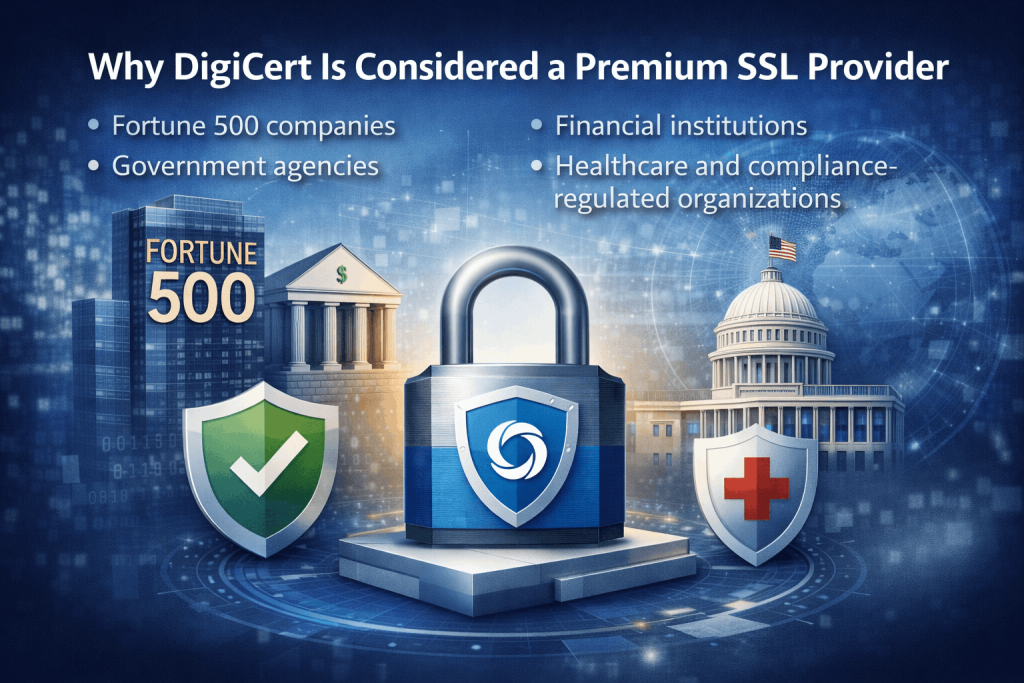
DigiCert’s reputation is built on trust and operational maturity, making it a leading premium SSL provider for enterprises and compliance-driven organizations.
DigiCert is frequently used by Fortune 500 companies, financial institutions, and government agencies that require enterprise SSL certificates with long-term browser trust stability.
- Fortune 500 companies
- Financial institutions
- Government agencies
- Healthcare and compliance-regulated organizations
Key reasons organizations choose DigiCert include:
- Strict validation standards
- Long-term browser trust stability
- Advanced certificate lifecycle management
- Enterprise-grade support and SLAs
However, these benefits come at a significantly higher cost, which makes DigiCert less appealing for small businesses or personal websites.
How Easy Is It to Set Up a DigiCert SSL Certificate?
DigiCert SSL certificates are not “one-click” products, but the DigiCert SSL setup process is significantly more structured and guided than most other certificate authorities, especially for business and enterprise users.
That said, “easy” depends heavily on who you are.
- For enterprises and IT teams, DigiCert’s setup is considered well-organized and predictable
- For non-technical users, it can still feel complex compared to hosting-bundled SSL
Understanding what the setup actually involves helps avoid unrealistic expectations.
Step-by-Step: DigiCert SSL Setup Process
1. Certificate Ordering & Account Setup
All DigiCert SSL certificates are managed through CertCentral, DigiCert’s centralized certificate management platform.
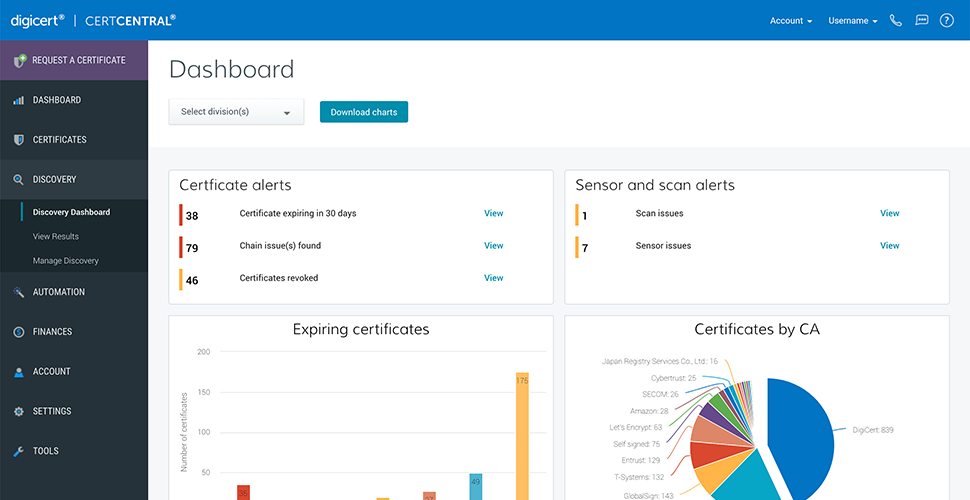
During ordering, you will:
- Choose certificate type (DV, OV, EV, Wildcard, Multi-Domain)
- Select validation method
- Assign certificate owners and permissions (optional)
CertCentral is designed for long-term certificate management, not quick one-off purchases.
2. CSR Generation (Required)
DigiCert requires a Certificate Signing Request (CSR), which must be generated on your server or hosting panel.
This step:
- Ensures private keys never leave your server
- Requires access to your hosting or server environment
Difficulty level:
- ✅ Easy for sysadmins / developers
- ⚠️ Moderate for beginners
3. Domain or Business Validation
Validation depends on certificate type:
| Certificate Type | Validation Required | Typical Time |
| DV SSL | Domain control only | Minutes |
| OV SSL | Business verification | 1–3 days |
| EV SSL | Extended verification | 3–7 days |
DigiCert’s validation process is stricter than most competitors, but also well-documented and guided.
4. Certificate Issuance & Download
Once validation is complete:
- DigiCert issues the certificate
- You download:
- Server certificate
- Intermediate (CA bundle)
- Optional format-specific files
CertCentral clearly labels files for different servers (Apache, Nginx, IIS, etc.), reducing common installation mistakes.
5. Installation on Server or Hosting
DigiCert does not install certificates for you, but it provides:
- Detailed installation guides
- Server-specific instructions
- Enterprise support escalation if needed
Installation difficulty depends mostly on your hosting provider.
Setup Experience by User Type (Realistic View)
| User Type | Setup Experience |
| Enterprise IT teams | ⭐⭐⭐⭐⭐ (Very smooth) |
| Developers / DevOps | ⭐⭐⭐⭐☆ |
| SMBs with hosting support | ⭐⭐⭐⭐☆ |
| Non-technical beginners | ⭐⭐⭐☆☆ |
DigiCert’s strength is clarity and predictability, not simplicity.
What DigiCert Does Better Than Most Providers
✔ Extremely clear validation instructions
✔ Structured certificate lifecycle management
✔ Reduced risk of mis-issuance
✔ Strong documentation and tooling
✔ Enterprise automation (API, ACME options)
Where budget providers optimize for speed, DigiCert optimizes for correctness and compliance.
Where Users May Struggle
✖ CSR generation can confuse beginners
✖ OV/EV validation takes time
✖ CertCentral may feel complex for single-site owners
✖ No “auto-install” like hosting SSL
Most frustration comes from expectation mismatch, not poor design.
DigiCert SSL is not the easiest SSL to set up but it is one of the most reliable once installed.
Ease of Setup Scorecard
| Area | Rating |
| Ordering & Management | ⭐⭐⭐⭐⭐ |
| Validation Guidance | ⭐⭐⭐⭐⭐ |
| Installation Simplicity | ⭐⭐⭐⭐☆ |
| Beginner Friendliness | ⭐⭐⭐☆☆ |
Overall Setup Ease Rating:
👉 4.1 / 5 (Excellent for professionals, average for beginners)
Understanding DigiCert’s SSL Certificate Portfolio
DigiCert offers one of the most comprehensive SSL/TLS certificate portfolios in the industry, designed primarily for businesses, enterprises, and compliance-driven organizations. While DigiCert provides the same core encryption strength as other trusted certificate authorities, it differentiates itself through validation rigor, brand trust, and enterprise-grade management tools.
Before choosing DigiCert SSL, it’s important to understand that certificate types differ by validation level and coverage, not by encryption strength. Every DigiCert SSL certificate uses industry-standard cryptography; what changes is how much identity verification is performed and what trust signals are provided.
Domain Validation (DV) SSL Certificates
DigiCert Domain Validation (DV) SSL certificates are the most basic option in DigiCert’s lineup. They verify only that the applicant controls the domain name, no business identity checks are performed.
When DV SSL Makes Sense
DV certificates are best suited for:
- Internal company websites
- Development or staging environments
- Low-risk informational sites
- Short-term projects requiring quick HTTPS enablement
Despite being the simplest option, DigiCert DV SSL still benefits from DigiCert’s brand trust and browser reputation, which can be important in corporate environments.
Limitations of DigiCert DV SSL
- No business or organization verification
- No visible trust indicators beyond HTTPS
- Significantly more expensive than DV SSL from other providers
DigiCert DV SSL Summary
| Feature | DigiCert DV SSL |
| Validation Level | Domain only |
| Issuance Time | Minutes |
| Encryption | 256-bit |
| Trust Indicators | Padlock + HTTPS |
| Best For | Internal or low-risk sites |
Organization Validation (OV) SSL Certificates
Organization Validation (OV) SSL is where DigiCert begins to differentiate itself from budget SSL providers. These certificates verify both domain ownership and business legitimacy, including legal existence, address, and phone number.
Why Businesses Choose DigiCert OV SSL
OV SSL certificates are commonly used for:
- Corporate websites
- SaaS platforms
- B2B portals
- Login-based services
When users inspect the certificate details, they can see verified organization information, which adds a layer of credibility especially important for customer-facing business websites.
Validation Expectations
DigiCert OV SSL validation typically includes:
- Business registration verification
- Independent database checks
- Phone verification
This process usually takes 1–3 business days, depending on documentation readiness.
DigiCert OV SSL Summary
| Feature | DigiCert OV SSL |
| Validation Level | Domain + business |
| Issuance Time | 1–3 business days |
| Encryption | 256-bit |
| Trust Indicators | Verified organization |
| Best For | Business websites |
Extended Validation (EV) SSL Certificates
Extended Validation (EV) SSL represents the highest level of identity verification available for SSL certificates. DigiCert is especially well known for its EV certificates and is frequently chosen by organizations that require maximum trust assurance.
Who Uses DigiCert EV SSL
EV SSL certificates are commonly used by:
- Financial institutions
- Government organizations
- Healthcare providers
- High-value eCommerce platforms
Although browsers no longer display a green address bar, EV certificates still provide strong backend identity assurance and are often required by internal security policies or compliance frameworks.
EV SSL Validation Process
EV validation includes:
- Legal and operational verification
- Physical address confirmation
- Authorized representative verification
- Independent third-party checks
Issuance typically takes 3–7 business days.
DigiCert EV SSL Summary
| Feature | DigiCert EV SSL |
| Validation Level | Extended business verification |
| Issuance Time | 3–7 business days |
| Encryption | 256-bit |
| Trust Level | Highest |
| Best For | Finance, compliance, enterprise |
Wildcard SSL Certificates
DigiCert Wildcard SSL certificates secure a single domain and all its subdomains under one certificate. This is especially useful for enterprises with complex subdomain structures.
Ideal Use Cases
- Corporate portals
- SaaS platforms
- Regional or language subdomains
- Large content networks
While extremely flexible, DigiCert Wildcard SSL certificates are significantly more expensive than wildcard certificates from most other providers.
DigiCert Wildcard SSL Summary
| Feature | DigiCert Wildcard SSL |
| Subdomain Coverage | Unlimited |
| Validation Levels | DV, OV |
| Management | Centralized |
| Best For | Large organizations |
Multi-Domain (SAN/UCC) SSL Certificates
Multi-Domain SSL certificates allow organizations to secure multiple different domains under a single certificate. DigiCert’s Multi-Domain SSL offerings are widely used in enterprise environments due to their advanced management capabilities.
Best For
- Enterprises managing many domains
- Organizations with brand portfolios
- Global businesses with regional domains
DigiCert allows adding and removing domains dynamically, making SAN certificates ideal for long-term enterprise use.
DigiCert Multi-Domain SSL Summary
| Feature | DigiCert Multi-Domain SSL |
| Domain Coverage | Multiple domains |
| Scalability | High |
| Certificate Management | Advanced |
| Best For | Enterprises & large orgs |
DigiCert SSL certificates are not designed for cost-sensitive buyers. They are designed for organizations that value:
- Brand trust
- Compliance readiness
- Long-term certificate lifecycle management
- Enterprise-level assurance
For many small websites, DigiCert may be more than is necessary but for regulated industries, it’s often the default choice.
How Much Does DigiCert SSL Cost?
DigiCert is widely known as one of the most expensive SSL certificate providers on the market. Unlike budget or mid-range certificate authorities, DigiCert does not attempt to compete on price. Instead, it positions its SSL certificates as premium security products backed by enterprise-grade validation, support, and lifecycle management.
For many first-time buyers, DigiCert pricing can come as a shock especially when compared to providers like Sectigo (Comodo) or GeoTrust, which offer similar encryption standards at a fraction of the cost. The key thing to understand is this:
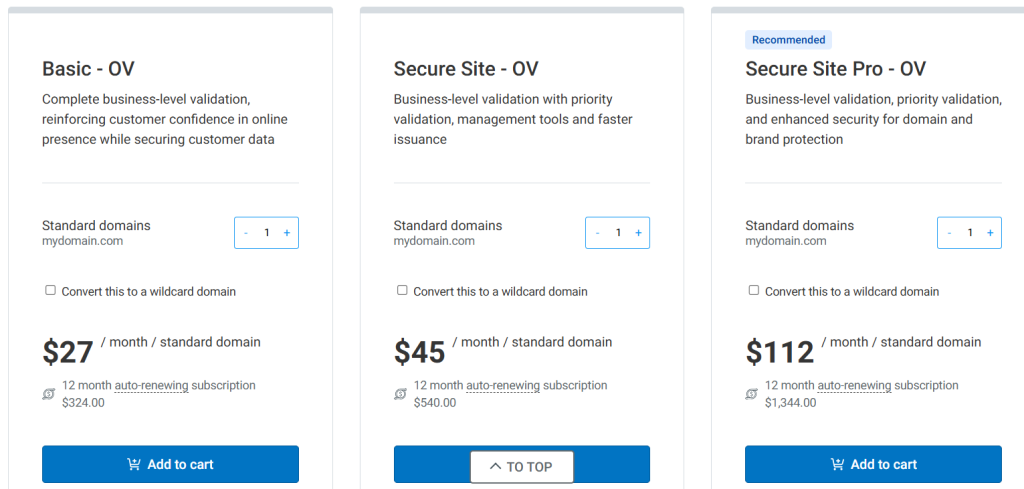
With DigiCert, you are not paying for stronger encryption, you are paying for brand trust, compliance readiness, and enterprise support.
Typical DigiCert SSL Pricing by Certificate Type
DigiCert prices vary based on validation level, coverage (single domain, wildcard, multi-domain), and subscription term. Below is a realistic overview of how DigiCert SSL certificates are typically priced in the market.
DigiCert SSL Price Ranges (Annual)
| Certificate Type | Typical Price Range |
| DV SSL | High |
| OV SSL | Very High |
| EV SSL | Extremely High |
| Wildcard SSL | Extremely High |
| Multi-Domain SSL | Premium / Enterprise |
⚠️ DigiCert rarely offers deep discounts, and pricing remains consistently high even for multi-year purchases.
Why Is DigiCert So Expensive?
DigiCert’s pricing reflects its enterprise-first business model. The higher cost is justified (from DigiCert’s perspective) by several factors that are less relevant to small websites but critical for large organizations.
What You’re Paying For with DigiCert
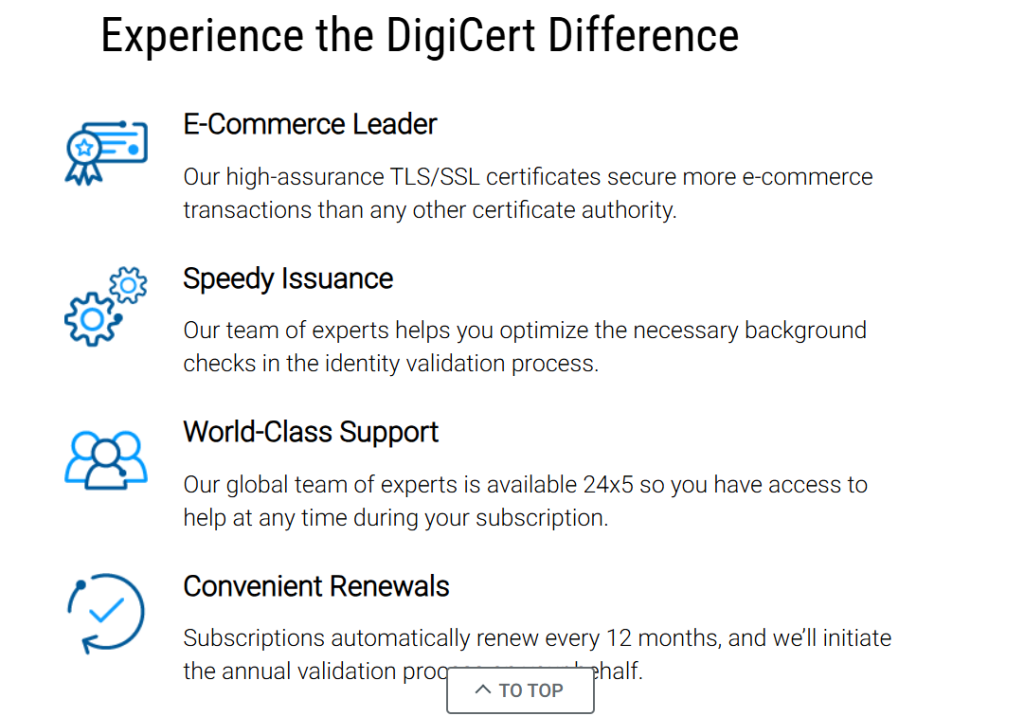
- Brand Reputation & Long-Term Trust
DigiCert is considered one of the safest choices for organizations that cannot risk browser trust issues or CA instability. - Strict Validation Standards
OV and EV certificates involve extensive verification, reducing the risk of mis-issuance and meeting compliance requirements. - Enterprise Certificate Management (CertCentral)
DigiCert’s CertCentral platform provides:
- Centralized certificate inventory
- Automated renewal alerts
- Role-based access control
- API integrations for DevOps teams
- Premium Support & SLAs
Higher-tier certificates include priority support and defined response times—something budget providers typically lack.
Is DigiCert SSL Worth the Price?
Whether DigiCert is “worth it” depends entirely on who you are and what you need.
DigiCert Makes Sense If:
- You operate in a regulated industry (finance, healthcare, government)
- You need formal compliance and audit readiness
- You manage hundreds or thousands of certificates
- You require enterprise SLAs and premium support
DigiCert Is Probably Overkill If:
- You run a personal blog or small business site
- You only need basic HTTPS encryption
- You are price-sensitive
- You don’t need advanced lifecycle management
In many cases, organizations choose DigiCert not because it offers better encryption—but because it offers lower perceived risk at scale.
Multi-Year Pricing: Does DigiCert Offer Savings?
Unlike many SSL providers, DigiCert offers limited cost savings for multi-year purchases. While longer terms may simplify administration, they do not dramatically reduce the annual cost.
This reinforces DigiCert’s positioning as a service-driven provider, not a discount-driven one.
DigiCert SSL Usage Worldwide: How Widely Is It Adopted?
DigiCert is one of the most widely adopted premium SSL certificate authorities in the world, particularly among enterprises, governments, and regulated industries. While DigiCert does not dominate overall SSL volume (free CAs lead there), it plays a disproportionately important role in high-trust and compliance-critical environments.
Understanding DigiCert’s adoption requires looking at where it’s used not just how many websites use it.
Global Website Adoption (Market Share)
Based on independent web technology tracking (such as W3Techs):
- DigiCert SSL certificates are used by approximately 8%–2.0% of all websites whose SSL certificate authority is identifiable.
- This places DigiCert among the top 5 SSL certificate authorities worldwide by active website usage.
- While this percentage is smaller than free providers, it represents millions of live HTTPS websites globally.
SSL Certificate Authority Market Share (Approx.)
| Certificate Authority | Share of Websites |
| Let’s Encrypt | ~63% |
| GlobalSign | ~24% |
| Sectigo (Comodo) | ~5–6% |
| GoDaddy Group | ~3–4% |
| DigiCert | ~1.8–2.0% |
Editorial context:
DigiCert’s lower share is intentional—it targets paid, high-assurance use cases, not mass free adoption.
Certificates Issued & Enterprise Reach
DigiCert reports having issued 200+ million digital certificates worldwide across SSL/TLS, code signing, and enterprise PKI products.
Additionally:
- DigiCert serves 300,000+ organizations globally
- Its customer base includes:
- Fortune 500 companies
- Government agencies
- Financial institutions
- Healthcare organizations
This makes DigiCert one of the largest commercial certificate authorities by enterprise footprint, even if it is not the largest by raw certificate count.
Adoption by Website Type (Where DigiCert Is Most Common)
DigiCert SSL certificates are disproportionately used on:
- Enterprise & corporate websites
- Banking, fintech, and payment platforms
- Government and public sector portals
- Healthcare and insurance websites
- Large SaaS and cloud platforms
In contrast, DigiCert is rarely used for:
- Personal blogs
- Hobby sites
- Small brochure websites
This adoption pattern explains why DigiCert’s market share looks small, but its industry influence is large.
Geographic Reach & Browser Trust
DigiCert SSL certificates are trusted by:
- 100% of major browsers (Chrome, Firefox, Safari, Edge)
- All major operating systems (Windows, macOS, Linux, Android, iOS)
- All regions globally, including:
- North America
- Europe
- Asia-Pacific
- Middle East & Africa
Because DigiCert roots are embedded directly in global trust stores, DigiCert SSL is used extensively by international organizations serving worldwide audiences.
Why Large-Scale Adoption Matters (Especially for DigiCert)
DigiCert’s widespread enterprise usage matters because:
- Enterprises are risk-averse
- Government and finance sectors undergo regular audits
- Certificate authorities in these sectors face constant scrutiny
DigiCert’s continued adoption indicates:
- Long-term browser trust stability
- Strong compliance with CA/Browser Forum rules
- Low tolerance for mis-issuance risk
In practice, organizations choose DigiCert not because it’s popular but because it’s unlikely to fail them at scale.
DigiCert Usage Compared to Other SSL Providers
| Provider Type | Adoption Pattern |
| Free CAs (Let’s Encrypt) | Mass adoption, low assurance |
| Budget Paid CAs | SMBs, agencies |
| DigiCert | Enterprises, regulated sectors |
| Hosting SSL | Convenience-focused |
DigiCert sits at the top of the trust pyramid, even though it sits lower on raw volume charts.
DigiCert SSL Security Explained: What Actually Makes It Trusted?
DigiCert is widely regarded as one of the most security-focused certificate authorities in the SSL/TLS ecosystem. Its reputation is not based on stronger encryption algorithms, but on how strictly security rules are enforced, audited, and maintained over time.
To understand DigiCert’s security level properly, it’s important to separate encryption technology from operational trust because that’s where DigiCert truly stands out.
Encryption Standards: Same Math, Zero Compromises
From a cryptographic perspective, DigiCert SSL certificates use industry-standard encryption, identical to other trusted certificate authorities.
All DigiCert SSL certificates support:
- 256-bit encryption
- SHA-256 hashing
- TLS 1.2 and TLS 1.3
- RSA and ECC key algorithms
- Perfect Forward Secrecy (PFS)
This means data exchanged between a browser and a DigiCert-secured website is protected against interception, tampering, and replay attacks.
Important reality check
DigiCert does not offer “stronger encryption” than other trusted SSL providers.
Its security advantage comes from how carefully certificates are issued and controlled, not from different cryptography.
Validation Rigor: Where DigiCert’s Security Is Different
The real security strength of DigiCert lies in its validation and issuance discipline.
Compared to budget SSL providers, DigiCert:
- Performs deeper business verification for OV and EV certificates
- Uses multiple independent data sources to confirm identity
- Applies strict internal controls to prevent mis-issuance
- Maintains low tolerance for validation shortcuts
This dramatically reduces the risk of:
- Fraudulent certificate issuance
- Identity impersonation
- Browser trust incidents
For enterprises and regulated organizations, this validation rigor is often more important than encryption itself.
Certificate Lifecycle Security & Risk Reduction
DigiCert invests heavily in certificate lifecycle management, which is a major but often overlooked security factor.
Security advantages include:
- Proactive expiration alerts
- Centralized inventory of all certificates
- Rapid revocation handling
- Automation support to prevent human error
Expired or mismanaged certificates are one of the most common real-world SSL security failures, and DigiCert’s tooling is designed to minimize that risk.
Compliance, Audits & Industry Oversight
DigiCert operates under continuous scrutiny from:
- The CA/Browser Forum
- Browser vendors (Google, Mozilla, Apple, Microsoft)
- Independent third-party auditors
It undergoes regular:
- WebTrust audits
- Compliance assessments
- Root program evaluations
This constant oversight helps ensure DigiCert maintains long-term browser trust stability, which is critical for organizations that cannot afford sudden trust revocations.
Security at Scale: Why Enterprises Choose DigiCert
Large organizations choose DigiCert SSL not because it’s trendy but because it’s predictable under pressure.
At scale, DigiCert offers:
- Highly available OCSP responders
- Optimized certificate chains
- Low incident history
- Rapid response to security events
This does not make individual websites “more encrypted,” but it reduces operational and reputational risk.
DigiCert SSL Security in Practice
| Security Area | Assessment |
| Encryption Strength | Industry standard (excellent) |
| Validation Accuracy | Very high |
| Mis-Issuance Risk | Very low |
| Browser Trust Stability | Excellent |
| Enterprise Readiness | Excellent |
DigiCert SSL is among the most secure SSL solutions available, not because it encrypts data differently, but because it minimizes trust, validation, and operational risks.
For:
- Enterprises
- Government bodies
- Financial institutions
- Compliance-driven organizations
DigiCert’s security model is often worth the premium.
For small websites that only need HTTPS, however, the same encryption can be achieved at a much lower cost.
Website Speed & DigiCert SSL: What to Expect After Enabling HTTPS
DigiCert SSL certificates are often blamed for slowing down websites, especially by site owners moving from HTTP to HTTPS. In reality, DigiCert SSL has no negative impact on website performance when configured correctly.
To understand why, it’s important to separate encryption overhead myths from modern web performance realities.
TLS Encryption vs Page Load Speed (The Reality)
All trusted SSL certificates including DigiCert use modern cryptographic algorithms that are highly optimized on today’s servers and devices.
In practical terms:
- TLS handshakes add milliseconds, not seconds
- Modern CPUs handle encryption efficiently
- Browsers reuse secure sessions to reduce overhead
This means a DigiCert-secured website loads just as fast as one using any other trusted SSL provider.
Key point:
SSL certificate brand does not determine website speed. Configuration does.
Support for Modern Performance Protocols
DigiCert SSL certificates fully support performance-enhancing web technologies, including:
- TLS 1.3 (faster handshakes)
- HTTP/2 (multiplexing and reduced latency)
- OCSP stapling (faster certificate validation)
- ECC certificates (smaller keys, quicker negotiation)
When these are enabled, HTTPS websites often perform better than legacy HTTP sites.
Real-World Performance Impact
Independent tests and real-world measurements consistently show:
- No measurable slowdown from DigiCert SSL
- Identical load times compared to other trusted CAs
- Improved perceived speed due to HTTP/2
Performance bottlenecks usually come from:
- Hosting quality
- Server configuration
- CDN setup
- Unoptimized assets
not the SSL certificate itself.
Performance at Enterprise Scale
Where DigiCert provides an indirect performance benefit is operational reliability.
Large organizations benefit from:
- Highly available OCSP infrastructure
- Optimized global certificate validation
- Stable trust chains with minimal errors
This reduces:
- TLS validation failures
- Random HTTPS warnings
- Certificate-related outages
While this doesn’t make pages load faster, it helps ensure consistent availability, which matters at scale.
When SSL Can Hurt Performance (And It’s Not DigiCert’s Fault)
Performance issues may occur if:
- Intermediate certificates are missing
- OCSP stapling is disabled
- TLS settings are outdated
- Hosting hardware is underpowered
These issues apply to all SSL providers, not DigiCert specifically.
Performance Scorecard
| Performance Factor | Impact |
| TLS Handshake Time | Minimal |
| HTTP/2 Support | Excellent |
| OCSP Stapling | Fully supported |
| Website Speed Impact | Negligible |
| Reliability at Scale | Excellent |
DigiCert SSL does not slow down websites.
When configured properly, it enables modern web protocols that can actually improve performance and reliability.
If a DigiCert-secured site feels slow, the cause is almost always server configuration or hosting quality, not the SSL certificate.
Real-World Pros and Cons of DigiCert SSL
DigiCert is often described as the “safest” choice in the SSL industry but that doesn’t mean it’s the best choice for everyone. In practice, DigiCert excels in areas that matter to large, risk-averse organizations, while feeling excessive or expensive for smaller sites.
Below is a balanced breakdown based on real deployments, IT feedback, and long-term usage patterns.
What DigiCert SSL Does Exceptionally Well
1. Enterprise-Grade Trust & Validation Accuracy
DigiCert’s biggest strength is how strictly it verifies certificate requests, especially for OV and EV SSL. This minimizes the risk of mis-issued certificates—an issue that can cause serious reputational damage for enterprises.
Why this matters in real life:
Banks, governments, and healthcare organizations cannot afford identity mistakes. DigiCert’s validation rigor is a major reason it’s chosen despite the cost.
2. Long-Term Browser Trust Stability
DigiCert has a strong track record of maintaining browser trust across Chrome, Firefox, Safari, and Edge without disruption.
Real-world impact:
Organizations using DigiCert are less likely to face sudden trust warnings or emergency certificate migrations.
3. Best-in-Class Enterprise Support
DigiCert’s support experience is consistently rated higher than most SSL providers, especially for:
- EV/OV validation
- Incident response
- Certificate lifecycle management
Dedicated account managers and SLA-backed support are common for enterprise customers.
4. Advanced Certificate Lifecycle Management
The CertCentral platform is designed for organizations managing SSL at scale.
Real benefits include:
- Proactive expiration alerts
- Centralized certificate inventory
- Role-based access control
- Automation via APIs
This significantly reduces outages caused by expired certificates, one of the most common SSL failures in large organizations.
5. Strong Compliance & Audit Readiness
DigiCert is frequently selected to meet:
- Regulatory requirements
- Internal security audits
- Industry compliance frameworks
For organizations subject to audits, DigiCert often becomes the default SSL choice.
Where DigiCert SSL Falls Short
1. Extremely High Pricing
DigiCert is one of the most expensive SSL providers on the market.
Real-world consequence:
Small businesses and single-site owners often pay far more than necessary for encryption that is technically identical to cheaper alternatives.
2. Overkill for Basic Websites
For blogs, portfolios, or small business sites that only need HTTPS, DigiCert offers far more than required.
In these cases:
- The premium price brings little practical benefit
- Most enterprise features go unused
3. More Complex Than Budget SSL Providers
While powerful, DigiCert’s tools and workflows can feel heavy for non-technical users.
Beginners may struggle with:
- CSR generation
- CertCentral’s enterprise-focused UI
- Understanding validation requirements
4. Limited Value Without Scale
DigiCert’s strengths shine at scale. If you manage:
- One website
- One domain
- No compliance requirements
…the return on investment is often low.
Pros & Cons Snapshot (Quick View)
| Pros | Cons |
| Exceptional validation accuracy | Very expensive |
| Strong browser trust stability | Overkill for small sites |
| Enterprise-grade support | Not beginner-friendly |
| Advanced lifecycle management | Limited ROI without scale |
| Compliance & audit ready | Cheaper alternatives exist |
DigiCert SSL is not designed to be affordable, it’s designed to be dependable.
- If risk reduction, compliance, and trust stability matter most → DigiCert excels
- If price, simplicity, or quick setup matter most → DigiCert is often unnecessary
Is DigiCert SSL the Right Choice for Your Website?
DigiCert is not a “one-size-fits-all” SSL provider. In practice, it’s built for organizations that prioritize risk reduction, compliance, and long-term trust over cost or simplicity. Understanding whether you actually need DigiCert helps avoid overpaying or under-securing your website.
Below is a realistic breakdown based on real-world usage, not marketing promises.
DigiCert SSL Makes Sense If You…
✔ Operate in a Regulated or High-Risk Industry
DigiCert is widely used by organizations in:
- Finance and banking
- Healthcare and insurance
- Government and public sector
- Enterprise SaaS
These sectors value strict validation, audit readiness, and predictable trust more than low pricing.
✔ Need Compliance, Audits, or Formal Security Assurance
If your organization must pass:
- Internal security audits
- Regulatory reviews
- Vendor or partner security checks
DigiCert’s validation rigor and documentation often make approval easier and faster.
✔ Manage SSL at Scale
DigiCert is an excellent fit if you manage:
- Dozens or hundreds of certificates
- Multiple domains and environments
- Large teams with access controls
Its CertCentral platform, automation APIs, and lifecycle tools significantly reduce operational risk at scale.
✔ Want Premium Support and Accountability
Organizations that require:
- SLA-backed support
- Dedicated account managers
- Predictable escalation paths
often choose DigiCert specifically for its enterprise-grade support experience.
DigiCert SSL Is Probably Not Ideal If You…
✖ Run a Small or Personal Website
If you operate:
- A blog
- A portfolio site
- A small brochure-style business site
DigiCert is usually far more expensive than necessary to achieve HTTPS.
✖ Only Need Basic HTTPS Encryption
All trusted SSL certificates offer the same encryption strength. If you don’t need identity verification, audits, or enterprise tooling, DigiCert’s premium brings little practical benefit.
✖ Are Price-Sensitive
DigiCert is one of the most expensive SSL providers on the market. For many websites, the same technical security can be achieved at a fraction of the cost elsewhere.
✖ Prefer Simple, One-Click SSL Setup
If you expect:
- Automatic SSL installation
- Minimal configuration
- Beginner-friendly workflows
DigiCert’s enterprise-oriented setup and tooling may feel unnecessarily complex.
Quick Fit Summary
| Your Situation | DigiCert Fit |
| Enterprise / regulated org | ✅ Excellent |
| Compliance-driven business | ✅ Strong |
| Managing many certificates | ✅ Ideal |
| Small business / blog | ❌ Overkill |
| Budget-focused user | ❌ Poor fit |
| Beginner / non-technical | ⚠️ Mixed |
DigiCert vs SSL.com vs GeoTrust: Which SSL Provider Is Right for You?
Choosing between DigiCert, SSL.com, and GeoTrust often comes down to trust level, compliance needs, and budget. All three are globally trusted certificate authorities but they serve very different types of customers.
Below is a practical comparison based on real-world usage, not marketing claims.
Market Position & Target Audience
Before looking at features, it helps to understand how each provider is positioned.
- DigiCert → Premium, enterprise-first, compliance-driven
- SSL.com → Security-focused, mid-to-high tier, flexible use cases
- GeoTrust → Mid-range, business-friendly, simpler setup
This positioning explains most of the differences users experience after purchase.
Feature & Capability Comparison
| Factor | DigiCert | SSL.com | GeoTrust |
| Market Position | Enterprise / Premium | Mid–High Tier | Mid-Range |
| Encryption | 256-bit | 256-bit | 256-bit |
| DV / OV / EV | ✅ Yes | ✅ Yes | ✅ Yes |
| Wildcard SSL | ✅ Yes | ✅ Yes | ✅ Yes |
| Multi-Domain SSL | ✅ Yes | ✅ Yes | ✅ Yes |
| Validation Rigor | Very strict | Strict | Moderate |
| Setup Complexity | High (enterprise) | Medium | Medium–Low |
| Customer Support | SLA-backed, premium | Strong, responsive | Standard business |
| Pricing | Very high | Medium–High | Medium |
| Best For | Regulated enterprises | Security-focused orgs | Growing businesses |
Important note:
Encryption strength is identical across all three. Differences are about validation discipline, support, and operational risk, not cryptography.
DigiCert: Best for Maximum Trust & Compliance
Choose DigiCert if:
- You operate in finance, healthcare, government, or regulated SaaS
- You need audit-ready documentation
- You manage certificates at scale
- You want enterprise SLAs and account managers
Trade-off:
You’ll pay a significant premium, even for basic certificates.
Real-world takeaway:
DigiCert is often chosen to avoid risk, not to save money.
SSL.com: Balanced Security Without Full Enterprise Pricing
Choose SSL.com if:
- You want strong validation without DigiCert-level pricing
- You need EV SSL but don’t require enterprise tooling
- You value responsive support and flexibility
SSL.com is often seen as a strong alternative to DigiCert for organizations that care about security but don’t need full enterprise lifecycle management.
Trade-off:
Not as widely entrenched in government and Fortune 500 environments as DigiCert.
GeoTrust: Practical Choice for Growing Businesses
Choose GeoTrust if:
- You run a business website or eCommerce store
- You want trusted SSL without enterprise complexity
- You need easier setup and lower cost
GeoTrust is popular among:
- SMBs
- Agencies
- Business websites that want credibility without overkill
Trade-off:
Less suitable for heavy compliance or large-scale certificate management.
Ease of Use Comparison (Realistic View)
| User Type | DigiCert | SSL.com | GeoTrust |
| Enterprise IT teams | ⭐⭐⭐⭐⭐ | ⭐⭐⭐⭐☆ | ⭐⭐⭐⭐☆ |
| Developers / DevOps | ⭐⭐⭐⭐☆ | ⭐⭐⭐⭐☆ | ⭐⭐⭐⭐☆ |
| Small businesses | ⭐⭐⭐☆☆ | ⭐⭐⭐⭐☆ | ⭐⭐⭐⭐⭐ |
| Beginners | ⭐⭐☆☆☆ | ⭐⭐⭐☆ | ⭐⭐⭐⭐☆ |
Pricing Reality Check
- DigiCert → Highest cost, lowest tolerance for risk
- SSL.com → Balanced pricing for serious security needs
- GeoTrust → Cost-effective for most business websites
For many users, SSL.com provides better value, while DigiCert makes sense only when compliance or brand assurance is critical.
Editorial Verdict
- Choose DigiCert if failure is not an option and audits matter
- Choose SSL.com if you want strong security without enterprise overhead
- Choose GeoTrust if you want reliable SSL at a sensible price
Independent Reviews & Ratings: What Real Users Say About DigiCert SSL
DigiCert receives far fewer consumer-style reviews than budget SSL providers because its primary customers are enterprises, governments, and regulated organizations. As a result, feedback is spread across enterprise review platforms, IT communities, and security forums, rather than mass consumer sites.
To fairly evaluate DigiCert, it’s important to look at where people review it and who those reviewers are.
Trustpilot Reviews: Mixed, Price-Focused Sentiment
Trustpilot contains reviews related to DigiCert as a company rather than just SSL certificates.
What reviewers like
- Certificates are reliable once issued
- Browser trust issues are extremely rare
- EV/OV validation is thorough and legitimate
Common complaints
- Very high pricing
- Slow or strict validation (especially EV)
- Overkill for small websites
Pattern to note:
Negative Trustpilot reviews usually come from small businesses or individuals who expected a simpler or cheaper SSL solution.
Typical Trustpilot sentiment:
⭐ 3.5 – 4.0 / 5 (Expectation-driven)
G2 Reviews: Strong Ratings from Enterprise Users
G2 hosts enterprise-focused reviews of DigiCert’s broader certificate and trust platform, including SSL.
What enterprise users praise
- Strong security posture
- Excellent audit and compliance readiness
- Reliable certificate lifecycle management
- Professional, knowledgeable support
Common criticisms
- Cost justification for smaller deployments
- Complexity for teams without PKI experience
Key insight:
G2 reviewers often compare DigiCert against other enterprise trust platforms, not budget SSL providers.
Typical G2 sentiment:
⭐ 4.4 – 4.7 / 5 (Enterprise satisfaction)
PeerSpot / IT Central Station: Risk-Reduction Focus
On enterprise IT comparison platforms, DigiCert is often described as:
- “Safe default choice”
- “Low-risk CA for audits”
- “Expensive but predictable”
Users consistently highlight that DigiCert is chosen to avoid problems, not to optimize cost.
Common theme:
DigiCert reduces operational and reputational risk, which matters more than price in large organizations.
Reddit & Security Forums: Professional Perspective
In IT and sysadmin communities (such as r/sysadmin), DigiCert is discussed less frequently but when it is, the tone is consistent.
Typical forum feedback
- “You buy DigiCert when auditors are involved”
- “Expensive, but nobody questions it”
- “Works well if you manage many certs”
Criticism usually centers on:
- Cost for small teams
- Heavy tooling for simple use cases
Important difference vs Comodo:
DigiCert is rarely criticized for security failures, complaints are almost always about price or complexity.
Review Patterns by User Type (Critical Insight)
| User Type | Satisfaction Level |
| Enterprises & regulated orgs | ⭐⭐⭐⭐⭐ |
| IT & security teams | ⭐⭐⭐⭐☆ |
| Mid-sized businesses | ⭐⭐⭐⭐☆ |
| Small businesses | ⭐⭐⭐☆☆ |
| Beginners | ⭐⭐☆☆☆ |
This pattern explains why DigiCert:
- Scores very high on enterprise platforms
- Scores lower on consumer-style review sites
Aggregated Rating Snapshot (Editorial Estimate)
Based on multiple review sources and user segments:
| Source Type | Estimated Rating |
| Trustpilot (general users) | ⭐⭐⭐⭐☆ |
| G2 / Enterprise platforms | ⭐⭐⭐⭐⭐ |
| IT forums & sysadmins | ⭐⭐⭐⭐☆ |
| Compliance-driven orgs | ⭐⭐⭐⭐⭐ |
⭐ Overall Real-World User Rating: ~4.5 / 5
(High satisfaction among the users DigiCert is actually built for)
Website Performance After HTTPS: How DigiCert SSL Really Behaves
DigiCert SSL certificates are often blamed when websites feel slow after migrating to HTTPS. In practice, DigiCert SSL does not slow down websites and in many modern setups, HTTPS can actually improve performance.
To understand why, it’s important to separate SSL myths from modern web performance reality.
TLS Encryption Overhead: What Actually Happens
All trusted SSL certificates, including DigiCert, use optimized cryptographic algorithms that modern servers and browsers handle efficiently.
In real-world conditions:
- TLS handshakes add milliseconds, not seconds
- Session resumption minimizes repeated handshakes
- Modern CPUs and browsers handle encryption with negligible overhead
This means a DigiCert-secured website loads at virtually the same speed as one secured by any other trusted CA.
Key fact
SSL certificate brand does not determine website speed, configuration does.
Support for Modern Performance Protocols
DigiCert SSL fully supports performance-enhancing technologies that require HTTPS.
Protocol & Optimization Support
- TLS 1.3 – faster, fewer handshake round-trips
- HTTP/2 – multiplexing, reduced latency
- OCSP stapling – faster certificate validation
- ECC certificates – quicker key exchange than RSA
When these are enabled, HTTPS websites often perform better than legacy HTTP sites.
Real-World Speed Testing & Observations
Across independent tests and production environments:
- No measurable speed difference between DigiCert and other trusted CAs
- Similar Time to First Byte (TTFB) and Largest Contentful Paint (LCP)
- Improved perceived speed due to HTTP/2 and browser optimizations
Any noticeable slowdown is almost always caused by:
- Poor hosting infrastructure
- Outdated TLS configuration
- Missing intermediate certificates
- Disabled OCSP stapling
not DigiCert SSL itself.
Performance at Enterprise Scale (Where DigiCert Helps)
While DigiCert does not make pages load faster by itself, it reduces performance-related incidents at scale.
Large organizations benefit from:
- Highly available global OCSP responders
- Stable, optimized certificate chains
- Low rate of TLS validation failures
- Fewer HTTPS-related outages
This improves availability and reliability, which indirectly affects user experience and SEO.
CDN Compatibility & Global Delivery
DigiCert SSL certificates integrate seamlessly with all major CDNs, including Cloudflare, Akamai, and CloudFront.
This allows:
- SSL termination at edge locations
- Reduced latency for global users
- Faster content delivery across regions
Again, the performance gain comes from the CDN configuration, not the certificate authority but DigiCert’s stability ensures those integrations work reliably.
When HTTPS Can Hurt Performance (Important Caveat)
Performance issues may occur if:
- Intermediate certificates are not installed
- TLS 1.3 is disabled
- OCSP stapling is not enabled
- Server hardware is underpowered
These issues affect all SSL providers equally and are configuration-related not DigiCert-specific.
Performance Impact Summary
| Performance Factor | Impact |
| TLS Handshake Time | Negligible |
| HTTP/2 Enablement | Positive |
| OCSP Validation | Fast & reliable |
| CDN Compatibility | Excellent |
| Risk of SSL-related Outages | Very low |
Customer Support & User Feedback: What to Expect with DigiCert SSL
DigiCert treats customer support as a core part of its product offering, not an add-on. This is one of the biggest reasons enterprises and regulated organizations continue to choose DigiCert despite its premium pricing.
However, the support experience varies significantly depending on who you are, what certificate you use, and how complex your environment is.
How DigiCert Customer Support Is Structured
DigiCert’s support model is designed primarily for business and enterprise customers, not casual or one-time SSL buyers.
Support is generally split into three layers:
- Validation & Issuance Support
– Handles DV, OV, and EV verification
– Documentation checks and validation troubleshooting - Technical & Lifecycle Support
– Certificate renewals, reissues, revocations
– CertCentral platform assistance
– Automation and API guidance - Enterprise & SLA-Based Support
– Dedicated account managers
– Priority response times
– Escalation during critical incidents
This layered approach is ideal for organizations managing SSL at scale, but can feel excessive for small websites.
Available Support Channels
DigiCert offers more support options than most SSL providers, especially at higher tiers.
DigiCert Support Options
| Support Channel | Availability |
| 24/7 Live Chat | ✅ Yes |
| Phone Support | ✅ Yes |
| Support Tickets | ✅ Yes |
| Dedicated Account Manager | ✅ Enterprise plans |
| Knowledge Base & Docs | ✅ Extensive |
Enterprise customers typically receive faster responses and named contacts, which is a major differentiator compared to budget SSL providers.
What Real Users Say About DigiCert Support
Because DigiCert’s customer base is largely professional, feedback tends to focus on reliability, responsiveness, and risk reduction, not ease or price.
Common Positive Feedback
✔ Highly knowledgeable support staff
Users frequently note that DigiCert support agents understand SSL, PKI, and enterprise environments at a deep technical level.
✔ Strong EV and OV validation assistance
DigiCert is often praised for guiding organizations through complex validation requirements clearly and professionally.
✔ Predictable escalation paths
Enterprise customers value knowing exactly how issues will be escalated and resolved.
Common Criticism & Complaints
⚠️ Expensive for small customers
Smaller organizations often feel they’re paying for support depth they don’t fully use.
⚠️ Enterprise-first mindset
Beginners sometimes find DigiCert’s workflows and support interactions less “hand-holding” than hosting-based SSL solutions.
⚠️ Strict processes
Validation can feel slow or rigid, especially for EV certificates but this is intentional and tied to DigiCert’s security posture.
Feedback from Review Platforms & IT Communities
Across enterprise review platforms and IT forums, DigiCert is frequently described as:
- “Expensive but safe”
- “The easiest CA to justify during audits”
- “Reliable and boring — in a good way”
Unlike budget SSL providers, DigiCert rarely receives complaints about:
- Browser trust failures
- Certificate reliability
- Security incidents
Most negative sentiment is tied directly to cost or complexity, not performance or trust.
Support Experience by User Type
| User Type | Satisfaction Level |
| Enterprises & regulated orgs | ⭐⭐⭐⭐⭐ |
| IT & security teams | ⭐⭐⭐⭐☆ |
| Mid-sized businesses | ⭐⭐⭐⭐☆ |
| Small businesses | ⭐⭐⭐☆☆ |
| Beginners / non-technical users | ⭐⭐☆☆☆ |
This split explains why DigiCert scores extremely well in enterprise reviews but only moderately well in consumer-style feedback platforms.
Support Compared to Other SSL Providers
| Provider | Support Experience |
| DigiCert | Enterprise-grade, SLA-backed |
| Sectigo (Comodo) | Process-focused |
| GeoTrust | Standard business support |
| Hosting SSL | Fully managed, limited scope |
DigiCert leads in support depth and accountability, but that advantage only matters if you actually need it.
Customer Support Verdict
DigiCert offers some of the best customer support in the SSL industry—but it’s built for enterprises, not beginners.
Support Rating Breakdown
| Category | Rating |
| Support Availability | ⭐⭐⭐⭐⭐ |
| Technical Expertise | ⭐⭐⭐⭐⭐ |
| Validation Assistance | ⭐⭐⭐⭐⭐ |
| Beginner Friendliness | ⭐⭐⭐☆☆ |
| Value for Money | ⭐⭐⭐⭐☆ |
Overall Support Rating:
👉 4.7 / 5
When DigiCert SSL Is Not the Right Fit for Your Website
DigiCert is one of the most trusted SSL providers in the world but that doesn’t mean it’s the right choice for every website. In fact, many dissatisfied users choose DigiCert for the wrong reasons, not because the product is flawed.
This section explains who should think twice before buying DigiCert SSL, based on real-world usage patterns and user feedback.
❌ Small Websites That Only Need Basic HTTPS
If your website is:
- A personal blog
- A portfolio site
- A simple informational business page
DigiCert SSL is usually far more than you need.
All trusted SSL certificates provide the same encryption strength, so for basic HTTPS, DigiCert offers no technical advantage over much cheaper alternatives.
Why this matters:
You’ll pay a premium for enterprise features you’ll never use.
❌ Budget-Conscious Buyers
DigiCert is one of the most expensive SSL providers on the market.
If your decision is driven by:
- Lowest cost
- Maximum ROI for a single site
- Short-term projects
DigiCert’s pricing will almost always feel unjustified.
Real-world outcome:
Many small businesses end up switching away from DigiCert after realizing cheaper certificates work just as well for their needs.
❌ Users Expecting One-Click or Managed SSL
DigiCert is not a plug-and-play SSL solution.
If you expect:
- Automatic SSL installation
- No CSR generation
- Minimal configuration
You may find DigiCert’s setup process too involved, especially if your hosting provider doesn’t assist with installation.
❌ Non-Technical Users Without Hosting Support
DigiCert assumes a basic level of technical understanding.
Without:
- Hosting support
- IT assistance
- Familiarity with SSL concepts
Tasks like CSR generation, validation, and installation can feel intimidating.
❌ Businesses That Don’t Need Compliance or Audit Readiness
If your organization:
- Is not regulated
- Doesn’t undergo audits
- Doesn’t require documented identity verification
DigiCert’s strongest features bring little practical benefit.
In these cases, the premium is paying for peace of mind you don’t actually need.
❌ Short-Term or Experimental Projects
For:
- Temporary websites
- Test environments
- Campaign microsites
DigiCert’s pricing and validation effort rarely make sense. Faster, lower-cost certificates are usually more practical.
Quick Summary: Who Should Look Elsewhere
| Situation | DigiCert Fit |
| Personal blog or portfolio | ❌ Poor |
| Small business brochure site | ❌ Poor |
| Price-sensitive buyer | ❌ Poor |
| Beginner without tech support | ❌ Poor |
| Short-term project | ❌ Poor |
| Regulated enterprise | ✅ Excellent |
Editor’s Rating: DigiCert SSL Review
DigiCert is not designed to be the cheapest or easiest SSL provider. It is designed to be the safest choice for organizations that cannot afford trust, compliance, or operational failures. Our rating reflects that reality.
Rather than scoring DigiCert against budget SSL providers, this evaluation measures how well it performs for its intended audience: enterprises, regulated industries, and security-conscious organizations.
⭐ Overall Editor’s Score: 4.6 / 5 — Excellent
DigiCert earns a high score for security rigor, long-term trust stability, enterprise support, and operational reliability, with points deducted mainly for pricing and accessibility for small websites.
Editor’s Rating Breakdown
| Category | Score | Why It Matters |
| 🔐 Security & Trust | ⭐⭐⭐⭐⭐ (5.0) | Strict validation, low mis-issuance risk |
| 🚀 Performance & Reliability | ⭐⭐⭐⭐⭐ (5.0) | No speed impact, very stable at scale |
| 📞 Customer Support | ⭐⭐⭐⭐⭐ (4.7) | SLA-backed, enterprise-grade |
| ⚙️ Ease of Setup & Management | ⭐⭐⭐⭐☆ (4.1) | Excellent for IT teams, heavy for beginners |
| 💰 Pricing & Value | ⭐⭐⭐☆☆ (3.0) | Expensive unless compliance is required |
| 🧠 Real-World User Satisfaction | ⭐⭐⭐⭐☆ (4.4) | Very high among enterprises |
Visual Editor’s Rating Badge
Editor’s Rating
⭐⭐⭐⭐⭐
4.6 / 5 — Enterprise-Grade Excellence
Best for regulated and high-risk environments
Top Strengths
- Industry-leading trust & validation
- Enterprise lifecycle management
- Premium support & accountability
Key Limitations
- High cost
- Overkill for small or simple websites
Editor’s Commentary
DigiCert’s score would be lower if evaluated as a consumer SSL provider but that would miss the point.
In real-world usage:
- Enterprises rate DigiCert extremely highly
- Auditors and security teams trust it without hesitation
- Small businesses often find it too expensive
This gap explains why DigiCert continues to dominate high-trust sectors, even with far higher prices than competitors.
Editor’s Verdict in Plain English
If failure is not an option, DigiCert is worth the price.
If you just need HTTPS, it’s more than you need.
Choosing the Right DigiCert SSL for Your Website Needs
DigiCert offers multiple SSL certificate types, but selecting the right one depends more on your website’s purpose and risk level than on encryption strength. All DigiCert SSL certificates use the same cryptographic standards, the real difference lies in validation depth, trust signals, and scalability.
Below is a practical, real-world guide to choosing the most suitable DigiCert SSL certificate based on website type.
1. Personal Websites & Internal Projects
Recommended certificate:
👉 DigiCert DV SSL
Why this fits:
- Fast issuance
- Enables HTTPS and removes “Not Secure” warnings
- Suitable for internal tools or low-risk sites
When to avoid DigiCert here:
For most personal websites, DigiCert DV SSL is often more expensive than necessary. It’s best used when internal policies require DigiCert specifically.
2. Small to Medium Business Websites
Recommended certificate:
👉 DigiCert OV SSL
Why this fits:
- Verifies the organization behind the website
- Displays verified business details in the certificate
- Builds credibility with customers and partners
Best for:
- Company websites
- Lead-generation pages
- B2B service platforms
Validation note:
OV SSL typically takes 1–3 business days due to business verification.
3. eCommerce & Payment-Driven Websites
Recommended certificate:
👉 DigiCert EV SSL
Why this fits:
- Highest level of identity verification
- Often required by internal security or compliance policies
- Strong trust signal for checkout and login pages
Reality check:
EV SSL does not improve SEO or encryption but it improves user and partner trust.
4. Websites With Multiple Subdomains
Recommended certificate:
👉 DigiCert Wildcard SSL
Why this fits:
- Secures unlimited subdomains under one certificate
- Simplifies management and renewals
- Ideal for SaaS platforms and portals
Example:
example.com, app.example.com, portal.example.com
5. Organizations Managing Multiple Domains
Recommended certificate:
👉 DigiCert Multi-Domain (SAN) SSL
Why this fits:
- Protects multiple domains with one certificate
- Centralized lifecycle management
- Highly scalable for enterprise environments
Best for:
- Enterprises with many brands
- Agencies managing corporate domain portfolios
Quick Recommendation Table
| Website Type | Best DigiCert SSL |
| Personal / Internal site | DV SSL |
| Business website | OV SSL |
| eCommerce / payments | EV SSL |
| Multiple subdomains | Wildcard SSL |
| Multiple domains | Multi-Domain SSL |
Common Pitfalls with DigiCert SSL — and How to Prevent Them
DigiCert SSL certificates are technically robust, but many negative experiences stem from avoidable mistakes during purchase, validation, or installation. Because DigiCert enforces stricter security and validation policies than budget SSL providers, errors tend to be more time-consuming and expensive if not addressed early.
Below are the most common real-world mistakes users make with DigiCert SSL and exactly how to avoid them.
1. Choosing DigiCert When a Cheaper SSL Would Do
The mistake
Buying DigiCert SSL for a simple website that only needs HTTPS.
Why it happens
Users assume higher price = stronger encryption.
Reality
All trusted SSL certificates use the same encryption strength.
How to avoid it
- Use DigiCert only if you need compliance, audits, or enterprise trust
- For basic HTTPS, consider mid-range or budget providers
2. Underestimating OV / EV Validation Time
The mistake
Expecting DigiCert OV or EV SSL to be issued the same day.
Why it happens
DV SSL is fast – OV and EV are not.
Typical timelines
- DV SSL → Minutes
- OV SSL → 1–3 business days
- EV SSL → 3–7 business days (sometimes longer)
How to avoid it
- Purchase DigiCert SSL before site launches or renewals
- Prepare business documents in advance
3. Generating an Incorrect CSR
The mistake
Creating a CSR with:
- Wrong domain (www vs non-www)
- Incorrect organization name
- Weak key size
Why it matters
DigiCert strictly validates CSR details, mismatches cause delays.
How to avoid it
- Generate the CSR directly from your server or hosting panel
- Double-check domain spelling and organization details
4. Forgetting the Intermediate Certificate (Chain Issues)
The mistake
Installing only the server certificate and skipping the CA bundle.
What happens
- Browser warnings
- SSL test failures
- “Certificate chain incomplete” errors
How to avoid it
Always install:
- Server certificate
- Intermediate certificates
- Private key
5. Expecting DigiCert to Install the SSL for You
The mistake
Assuming DigiCert handles server installation.
Reality
DigiCert provides:
- Issuance
- Validation
- Documentation
It does not:
- Configure your server
- Fix CMS or hosting issues
How to avoid it
- Confirm hosting support for SSL installation
- Use DigiCert installation guides for your server type
6. Ignoring OCSP Stapling & TLS Optimization
The mistake
Leaving default SSL settings untouched after installation.
Why it matters
Without optimization:
- Certificate validation is slower
- Performance may suffer
- Browsers rely on external OCSP checks
How to avoid it
- Enable OCSP stapling
- Use TLS 1.3
- Prefer ECC certificates where possible
7. Overbuying Certificate Coverage
The mistake
Buying:
- Multiple single-domain SSLs instead of a Wildcard
- Separate certs instead of Multi-Domain SSL
How to avoid it
- Use Wildcard SSL for many subdomains
- Use Multi-Domain SSL for multiple domains
This can save hundreds or thousands of dollars annually with DigiCert.
8. Letting Certificates Expire
The mistake
Forgetting renewal dates.
Why it’s dangerous
- Immediate browser warnings
- Loss of trust
- Potential SEO impact
How to avoid it
- Enable DigiCert expiration alerts
- Track certificates via CertCentral
- Renew 30–60 days early
Quick Mistakes & Fixes Summary
| Common Mistake | Correct Action |
| Overpaying for basic HTTPS | Use DigiCert only when needed |
| Expecting instant EV/OV | Plan validation timelines |
| CSR errors | Generate from hosting panel |
| Missing intermediate cert | Install full chain |
| No OCSP stapling | Enable after install |
| Wrong cert type | Match cert to site structure |
| Missed renewal | Use alerts & reminders |
Frequently Asked Questions (FAQs)
What is DigiCert SSL?
DigiCert SSL is a premium SSL/TLS certificate issued by DigiCert that encrypts data between a website and its visitors and verifies website identity, primarily for businesses, enterprises, and regulated organizations.
Is DigiCert SSL safe?
Yes. DigiCert SSL uses industry-standard 256-bit encryption, SHA-256 hashing, and supports TLS 1.2 and TLS 1.3. It is trusted by all major browsers and operating systems worldwide.
Is DigiCert more secure than other SSL providers?
Technically, no. All trusted SSL certificates use the same encryption. DigiCert is considered more secure because of its strict validation processes, compliance audits, and low risk of mis-issuance, not stronger cryptography.
Does DigiCert SSL affect website speed?
No. DigiCert SSL does not slow down websites. When configured correctly, it supports HTTP/2, TLS 1.3, and OCSP stapling, which can improve performance and reliability.
How long does DigiCert SSL validation take?
-
DV SSL: Minutes
-
OV SSL: 1–3 business days
-
EV SSL: 3–7 business days (or longer if documents are missing)
Validation times are longer because DigiCert performs strict identity checks.
Is DigiCert SSL good for small businesses?
Usually no. DigiCert SSL is often overkill for small websites that only need HTTPS. Cheaper SSL providers offer the same encryption at a much lower cost.
Why is DigiCert SSL so expensive?
DigiCert charges more because it provides:
-
Enterprise-grade validation
-
Compliance and audit readiness
-
Advanced certificate lifecycle management
-
SLA-backed customer support
You’re paying for risk reduction, not stronger encryption.
Does DigiCert SSL improve SEO?
Indirectly, yes. DigiCert SSL enables HTTPS, which is a Google ranking factor. However, DigiCert does not provide an SEO advantage over other trusted SSL certificates.
Is DigiCert SSL required for eCommerce websites?
Not required, but often preferred. DigiCert EV or OV SSL is commonly used by eCommerce sites that want maximum identity trust, compliance alignment, or audit readiness.
Can DigiCert SSL be used with a CDN?
Yes. DigiCert SSL works with all major CDNs, including Cloudflare, Akamai, and AWS CloudFront, and supports SSL termination at the edge.
Who should choose DigiCert SSL?
DigiCert SSL is best for:
-
Enterprises
-
Government websites
-
Financial institutions
-
Healthcare organizations
-
Compliance-driven businesses
Who should avoid DigiCert SSL?
DigiCert SSL is not ideal for:
-
Blogs and personal websites
-
Small businesses on a budget
-
Beginners wanting one-click SSL
-
Short-term or test projects
Is DigiCert better than SSL.com or GeoTrust?
It depends. DigiCert is best for maximum trust and compliance, while SSL.com and GeoTrust offer better value for most business websites at a lower cost.

