
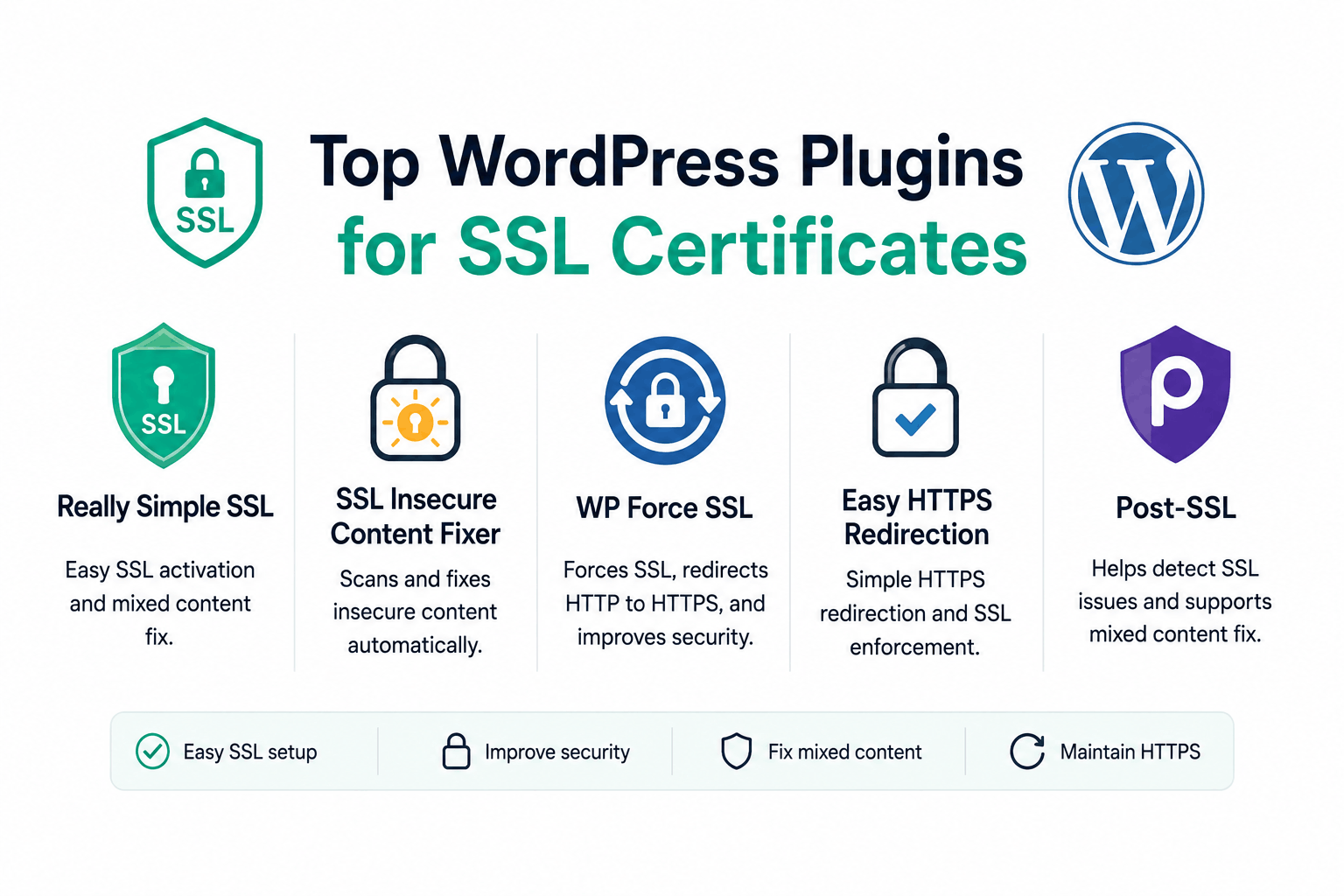
Most WordPress sites on modern shared hosting do not need an SSL plugin. If your host provides AutoSSL (cPanel) or equivalent automated certificate provisioning, and if you have updated your site’s database URLs from http:// to https://, your site runs over HTTPS without any plugin.
Plugins become useful in specific situations: your host does not provide automated certificate issuance, you need to force HTTPS redirects without editing server configuration files, you have mixed content from hardcoded HTTP URLs in your database or theme, or you want an interface for monitoring SSL health from within WordPress.
This guide is organized by task rather than by plugin. For each SSL-related task you might need to accomplish in WordPress, it identifies the right approach: sometimes a plugin, sometimes not. It explains why.
Quick Reference: Match Your Task to the Right Tool
| Task | Recommended approach | Plugin needed? |
| Install a free SSL certificate when host provides AutoSSL | Use AutoSSL in cPanel (Security, SSL/TLS Status, Run AutoSSL) | No |
| Install a free SSL certificate when host does NOT provide AutoSSL | WP Encryption plugin or manual Let’s Encrypt via Certbot | Yes (if no server access) / No (if server SSH access available) |
| Force HTTP to HTTPS redirect | Add .htaccess rule or Nginx rewrite (preferred) OR Really Simple Security plugin | Optional. Server-level redirect is cleaner. |
| Fix mixed content permanently | WP-CLI search-replace (permanent, no performance cost) OR Better Search Replace plugin | WP-CLI is not a plugin but a command-line tool; BSR is a plugin alternative |
| Suppress mixed content temporarily while fixing it | Really Simple Security (output buffering; not a permanent fix) | Yes, but treat as temporary |
| Monitor SSL certificate expiry and health from WordPress dashboard | Really Simple Security Pro or external monitoring service | Optional |
| Update WordPress Site URL and Home URL to https:// | WordPress Settings, General (no plugin needed) | No |
What WordPress SSL Plugins Actually Do (and Do Not Do)
Understanding what these plugins do under the hood prevents the common mistake of treating a plugin workaround as a permanent fix.
The output buffering approach (used by Really Simple Security and similar plugins)
Many WordPress SSL plugins use PHP output buffering to rewrite URLs at runtime. When a page is served, the plugin intercepts the HTML output before it reaches the browser and replaces all http:// occurrences with https://. The database still contains the original http:// URLs. The plugin rewrites them on every page load.
This approach has two significant limitations. First, performance: output buffering adds processing overhead to every uncached page load. With a caching plugin serving cached pages, the impact is minimal (caching stores the rewritten HTML); without caching, every request processes the rewrite. Second, plugin dependency: the database still contains http:// URLs. If the plugin is ever deactivated, disabled, or fails to load, the mixed content returns. The fix is not permanent; it is ongoing management.
For a quick temporary fix that buys time while you do the permanent database update, output buffering plugins are useful. For a permanent solution, the database must be updated.
The permanent fix for mixed content in WordPress is updating the database: replacing all stored http://yourdomain.com URLs with https://yourdomain.com. The WP-CLI command wp search-replace ‘http://yourdomain.com’ ‘https://yourdomain.com’ –skip-columns=guid does this correctly, handling serialized data that breaks with direct SQL replace operations. Better Search Replace plugin performs the same operation through the admin panel. Once the database is updated and the HTTPS redirect is in place, no SSL plugin is needed to maintain HTTPS.
Certificate issuance plugins (WP Encryption)
Plugins like WP Encryption use the ACME protocol to request certificates from Let’s Encrypt via HTTP-01 or DNS-01 domain validation. They store the private key and certificate on the server and configure the web server to use them. This is genuinely useful when the hosting environment provides no automated certificate provisioning and the site owner has no SSH access to run Certbot manually.
The limitation: these plugins handle certificate management from within WordPress, which runs on the same server as the web server. A plugin managing the web server’s SSL certificate is approaching the edge of what WordPress plugins are designed for. If the plugin fails, has a bug, or is deactivated, certificate renewal fails silently and the site eventually shows an expired certificate error.
For hosts with AutoSSL: use the host’s built-in mechanism. For hosts without: WP Encryption is useful, but check whether your host’s control panel provides any certificate management interface before relying on a plugin for something this foundational.
The Main WordPress SSL Plugins: What Each Does
Really Simple Security (formerly Really Simple SSL)
Really Simple SSL was renamed to Really Simple Security in 2024 when it expanded beyond SSL configuration into a broader security plugin covering user login protection, vulnerability scanning, and security headers. The SSL functionality remains central but the plugin has grown significantly. Active installations exceed 3 million.
What it does: detects the installed SSL certificate and updates WordPress Site URL and Home URL settings to https://, enables the HTTPS redirect, and uses output buffering to rewrite any remaining HTTP references in page output. The free version covers basic HTTPS configuration. The Pro version adds a mixed content scanner, HSTS configuration, and security headers management.
When it is the right choice: for site owners who are not comfortable editing .htaccess or wp-config.php, and who need a quick HTTPS configuration from the WordPress dashboard. It is the highest-installation-count option because it makes the initial HTTPS switch accessible with two clicks.
Limitations: relies on output buffering for mixed content rather than the permanent database fix. The expanded security features overlap with other security plugins, potentially causing conflicts if you already run Wordfence, Sucuri, or iThemes Security.
WP Force SSL
WP Force SSL is a lighter plugin focused specifically on forcing HTTP to HTTPS redirects. It does not issue certificates and does not attempt to fix mixed content in the database. It redirects incoming HTTP requests to HTTPS and includes an SSL certificate testing tool that checks whether the installed certificate is valid.
What it does: redirects HTTP to HTTPS, verifies the certificate is installed and valid, shows HTTPS status in the admin bar. The Pro version adds a mixed content scanner and SSL monitoring with alerts for certificate expiry.
When it is the right choice: when you have already installed the SSL certificate and updated the database URLs, but want a simple admin-level confirmation that the redirect is working and the certificate is current. Also useful for sites where you want the HTTPS redirect managed from the WordPress dashboard rather than in .htaccess.
WP Encryption
WP Encryption is primarily a certificate issuance and management plugin using Let’s Encrypt. It generates a free SSL certificate, performs the ACME domain validation, installs the certificate, and handles renewals. The free version covers certificate generation; the paid version adds mixed content scanning and a firewall.
When it is the right choice: when your hosting environment provides no automated certificate issuance (no AutoSSL equivalent) and you do not have server-level access to run Certbot. For hosts that provide AutoSSL or equivalent, WP Encryption adds no value for certificate management.
SSL Insecure Content Fixer
SSL Insecure Content Fixer specifically targets mixed content: resources loading over HTTP on HTTPS pages. It works through output buffering to rewrite insecure resource URLs in page output. Unlike Really Simple Security, it focuses entirely on this one task and does not include unrelated security features.
It offers several fixup levels (Simple, Content, Widgets, Capture, and All) that control how aggressively it rewrites URLs. Starting with Simple and escalating if mixed content persists is the recommended approach.
When it is the right choice: when your main problem is mixed content rather than the initial HTTPS setup. If the cert is installed, the redirect is working, but specific pages show a broken padlock due to HTTP resources, SSL Insecure Content Fixer can suppress these while you identify and permanently fix the sources.
Same limitation as all output buffering plugins: the database still contains http:// URLs. Deactivating the plugin brings the mixed content back. Treat it as a diagnostic and temporary tool while you work toward a permanent database fix.
Better Search Replace
Better Search Replace is not specifically an SSL plugin. It is a database search and replace utility. But it is the recommended admin-panel alternative to WP-CLI’s search-replace command for fixing mixed content permanently. It handles serialized data correctly, which matters because WordPress stores theme options, widget configurations, and plugin settings as PHP serialized strings where a simple SQL replace would corrupt the data by changing string lengths without updating the serialization prefix.
Use Better Search Replace to replace http://yourdomain.com with https://yourdomain.com across all database tables after installing the SSL certificate. Run a dry run first (it shows what would change without changing anything). After the replacement, the database contains the correct https:// URLs permanently. No ongoing plugin is needed to maintain the HTTPS state.
This is a plugin that fixes the problem once rather than managing it continuously.
Plugin Comparison: What Each Is Best For
| Plugin | Certificate issuance | HTTP to HTTPS redirect | Mixed content fix type | Ongoing dependency | Free version adequate? |
| Really Simple Security | No (helps configure only) | Yes | Output buffering (not permanent) | Yes, if not using database fix | Yes for basic setup |
| WP Force SSL | No | Yes | No (scanning in Pro only) | Minimal (redirect management) | Yes for redirects |
| WP Encryption | Yes (Let’s Encrypt) | Yes | Output buffering in Pro | Yes for certificate renewals | Basic; Pro for complete features |
| SSL Insecure Content Fixer | No | No | Output buffering (not permanent) | Yes, while mixed content exists | Yes |
| Better Search Replace | No | No | Database update (permanent) | No. Run once and deactivate. | Yes |
What Plugins Cannot Fix: Things That Require Server-Level Attention
WordPress SSL plugins operate within the WordPress application layer. Certain SSL problems exist at the server or hosting level and cannot be addressed from inside WordPress:
- The SSL certificate is not installed on the server: A plugin cannot install a certificate that the web server has not been configured to use. WP Encryption can help with this, but if the server is not accessible for ACME validation (for example, due to firewall rules), the plugin cannot complete certificate issuance.
- Wrong TLS protocol versions or weak cipher suites: If the server is configured with deprecated TLS 1.0/1.1 or weak cipher suites, no WordPress plugin can change this. The fix requires editing nginx.conf, Apache’s SSL configuration, or the equivalent server-level settings.
- Missing intermediate certificate: If the server is not sending the intermediate certificate in the chain, visitors see trust errors. This requires server-side configuration to include the full certificate bundle, not a WordPress plugin fix.
- Cloudflare Flexible SSL redirect loop: If Cloudflare’s SSL mode is set to Flexible and the server also has an HTTPS redirect, the resulting redirect loop cannot be fixed by a WordPress plugin. It requires changing the Cloudflare SSL mode to Full or Full (Strict).
Installing an SSL plugin on a site with a server-level SSL problem does not fix the problem. If visitors see a browser certificate error (NET::ERR_CERT_AUTHORITY_INVALID, expired certificate warnings, ERR_SSL_PROTOCOL_ERROR), the issue is at the server or hosting level, not in WordPress. Check the certificate using the SSL Labs test at ssllabs.com/ssltest before installing any plugin.
Recommended HTTPS Setup Workflow for WordPress
This sequence produces the cleanest, most maintainable HTTPS configuration without creating unnecessary plugin dependencies:
- Install the SSL certificate at the hosting level. Use cPanel AutoSSL, your hosting provider’s SSL manager, or Certbot if you have server access.
- Confirm the certificate is working correctly. Run the SSL Labs test on your domain. Confirm the cert is trusted, the chain is complete, and the SSL Labs grade is A or higher.
- Update WordPress Site URL and Home URL. Go to WordPress admin, Settings, General. Change both WordPress Address and Site Address from http:// to https://. Click Save Changes.
- Add the HTTP to HTTPS redirect. Preferred: add a redirect rule in .htaccess (Apache) or the server configuration (Nginx). Alternative: use Really Simple Security or WP Force SSL if you prefer not to edit configuration files.
- Fix mixed content permanently. Use WP-CLI if available (recommended) or Better Search Replace plugin to replace all http://yourdomain.com with https://yourdomain.com in the database.
- Clear all caches. Clear WordPress page cache, object cache, CDN cache, and browser cache.
- Verify with browser developer tools. Open the Console tab in Chrome DevTools on key pages and confirm no mixed content warnings appear.
- Remove any output buffering SSL plugins installed as temporary fixes. Once the database is updated, these plugins are no longer needed and add unnecessary overhead.
Frequently Asked Questions
Do I need an SSL plugin for WordPress?
Most sites on modern shared hosting do not need an SSL plugin permanently. If your host provides AutoSSL or equivalent automated Let’s Encrypt provisioning, you have a certificate installed. If you update your WordPress Site URL and Home URL to https:// and run a database search-replace to fix any stored http:// URLs, your site runs correctly over HTTPS without any plugin. Plugins are useful for: installing a certificate when your host does not provide automation, managing the HTTPS redirect from the WordPress dashboard, temporarily suppressing mixed content while you work on a permanent fix, or monitoring certificate health from within WordPress.
What is the difference between Really Simple SSL and WP Force SSL?
Really Simple Security (formerly Really Simple SSL) is a broader security plugin that includes SSL configuration, HTTPS redirect, and output buffering for mixed content, plus additional features like login protection and security headers. WP Force SSL is a lighter plugin focused specifically on the HTTPS redirect and certificate status monitoring. Really Simple Security is more feature-complete; WP Force SSL is simpler and less likely to conflict with other security plugins. Both use output buffering rather than database updates for mixed content, which is a temporary workaround rather than a permanent fix.
What is mixed content and does a plugin fix it permanently?
Mixed content occurs when an HTTPS page loads some resources (images, scripts, stylesheets) over HTTP. It produces a broken padlock in the browser and can cause security warnings. Output buffering plugins (Really Simple Security, SSL Insecure Content Fixer) rewrite HTTP URLs to HTTPS in page output at runtime, which suppresses the warning but does not fix the underlying database entries. If the plugin is deactivated, the mixed content returns. The permanent fix is updating the database: replacing all stored http://yourdomain.com with https://yourdomain.com using WP-CLI or Better Search Replace plugin. After the database update, no ongoing plugin is needed to maintain correct https:// URLs.
Can a WordPress plugin install an SSL certificate?
Yes, in some configurations. WP Encryption uses the ACME protocol to request a free Let’s Encrypt certificate, perform domain validation, and configure the server to use the certificate. This is useful when your hosting environment provides no automated certificate issuance and you do not have SSH access to run Certbot. For hosts that provide AutoSSL (cPanel, Plesk, most shared hosting), using the host’s built-in certificate management is more reliable than a plugin-based approach.
Really Simple SSL is showing mixed content warnings that go away when I deactivate it. Why?
When you deactivate Really Simple Security, the output buffering that rewrites HTTP URLs to HTTPS in page output is removed, revealing the underlying http:// URLs stored in your database. This confirms the plugin is working as a workaround rather than a fix. The solution is to run a database search-replace to permanently update all stored URLs to https://. Use WP-CLI (wp search-replace ‘http://yourdomain.com’ ‘https://yourdomain.com’ –skip-columns=guid) or the Better Search Replace plugin. After updating the database, the mixed content no longer depends on the plugin.

