
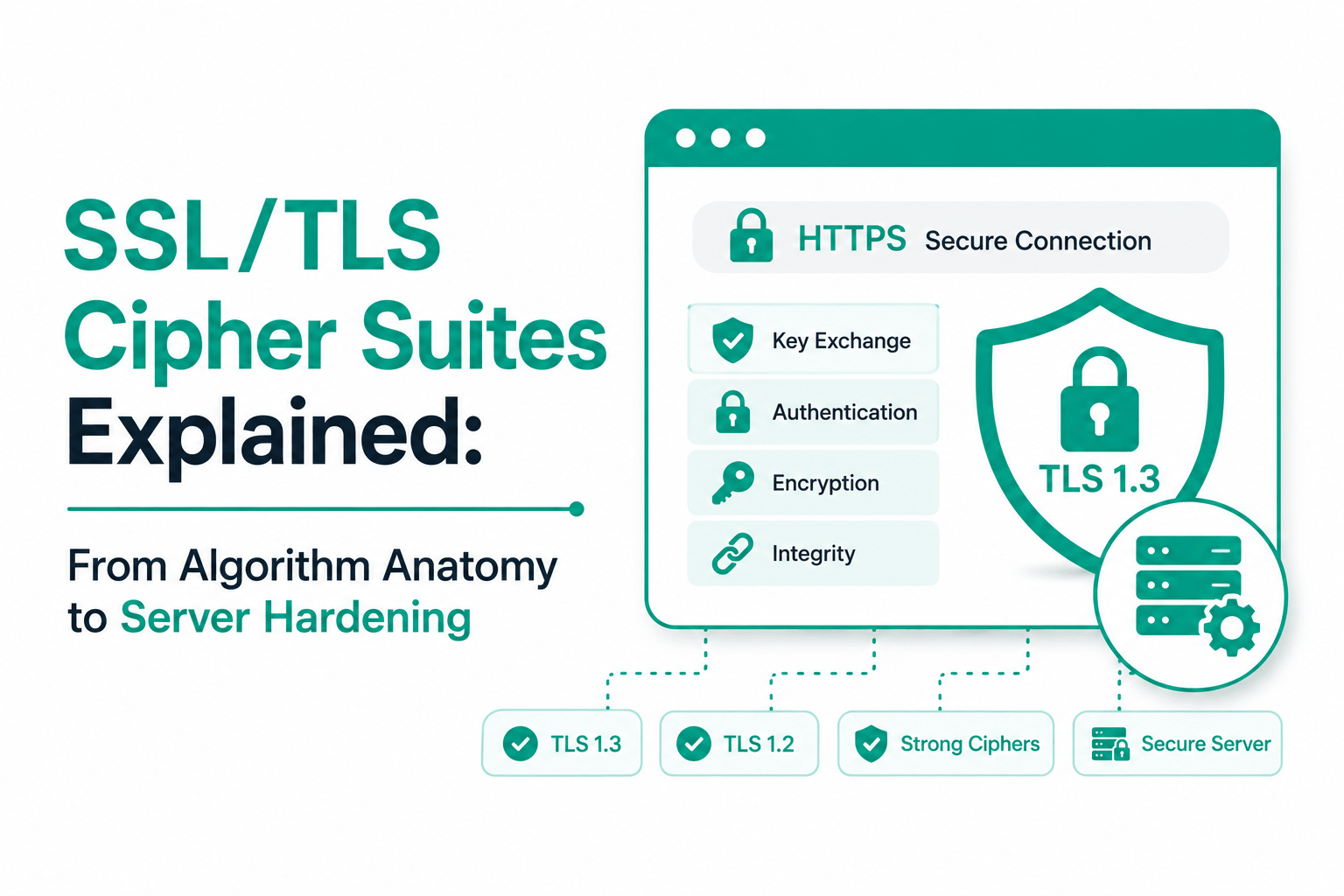
Your SSL certificate gets the credit. Your cipher suite does the actual work.
A cipher suite is the set of cryptographic algorithms that handle every aspect of a TLS connection: how the session key is established, how the server proves its identity, how data is encrypted in transit, and how the integrity of each message is verified. The certificate tells the world who you are. The cipher suite determines how well you are actually protected.
This matters practically because not all cipher suites are equal. A server configured with the right certificate but weak cipher suites can be vulnerable to attacks that break the encryption entirely. RC4, 3DES, NULL, and EXPORT-grade suites are among the broken combinations still found on servers that have not been hardened. Identifying and removing them requires understanding what each part of a cipher suite name means and which combinations to keep.
| WHAT IS A CIPHER SUITE? | A cipher suite is a named collection of cryptographic algorithms that together secure a TLS connection. The suite defines four things: which key exchange algorithm creates the shared session secret, which authentication algorithm verifies the server identity, which symmetric algorithm encrypts the data in transit, and which hashing algorithm verifies message integrity. During the TLS handshake, client and server exchange their supported suites and agree on the strongest common option. |
Reading a Cipher Suite Name: What Every Segment Means
Every cipher suite has a structured name where each segment encodes a specific algorithm performing a specific job. Reading a cipher suite name correctly is the starting point for understanding whether a given suite is strong or compromised.
The Key Exchange Component: Where Perfect Forward Secrecy Lives
The key exchange algorithm establishes the shared secret that both sides use to derive symmetric session keys. The choice between ephemeral and static key exchange is the most significant security decision encoded in the cipher suite name.
ECDHE (Elliptic Curve Diffie-Hellman Ephemeral) generates a brand new key pair for every TLS session. Even if an attacker records encrypted traffic today and compromises your server’s private key years later, past sessions cannot be decrypted because the ephemeral keys were never stored anywhere. This property is called Perfect Forward Secrecy (PFS).
By contrast, static RSA key exchange (which appears in cipher suite names as plain RSA without the E) uses the server’s long-term private key directly for key derivation. One key compromise exposes every past session recorded under that key. TLS 1.3 eliminated static RSA key exchange entirely. In TLS 1.2, it must be explicitly removed from the cipher suite list.
The Bulk Encryption Component: AEAD vs CBC
The bulk encryption algorithm encrypts the actual data transmitted during the session. Two fundamentally different modes exist in common use: CBC (Cipher Block Chaining) and AEAD (Authenticated Encryption with Associated Data).
CBC mode has been the source of multiple serious TLS vulnerabilities including BEAST (Browser Exploit Against SSL/TLS), POODLE (Padding Oracle On Downgraded Legacy Encryption), and Lucky13. These attacks exploit mathematical weaknesses in how CBC mode handles padding. CBC mode ciphers (for example, AES-256-CBC) provide encryption but require a separate MAC algorithm for integrity and have proven difficult to implement securely in practice.
AEAD ciphers, primarily AES-GCM and ChaCha20-Poly1305, combine encryption and integrity verification in a single operation. They are inherently resistant to padding oracle attacks, faster in hardware that supports them, and are the only bulk encryption mode allowed in TLS 1.3. For TLS 1.2, an AEAD-only cipher suite policy eliminates the entire class of CBC-mode vulnerabilities.
TLS 1.2 vs TLS 1.3: The Cipher Suite Revolution
TLS 1.3 (RFC 8446, published 2018) did not just add security features to TLS 1.2. It fundamentally redesigned the cipher suite model by removing hundreds of insecure options and making good security the only available option.
Why TLS 1.3 Cipher Suite Names Look Different
In TLS 1.2, a cipher suite name encodes four items: key exchange, authentication, encryption, and hash. The name TLS_ECDHE_RSA_WITH_AES_256_GCM_SHA384 specifies all four.
In TLS 1.3, cipher suite names encode only two items: encryption and hash. The key exchange and authentication algorithms are negotiated separately through extension mechanisms, and both must be ephemeral (PFS) options. This is why TLS_AES_256_GCM_SHA384 looks incomplete compared to a TLS 1.2 suite name. Nothing is missing. The key exchange and certificate type were moved to separate negotiation mechanisms where only secure options are available.
The practical implication: in TLS 1.3, server administrators cannot accidentally configure a cipher suite without Perfect Forward Secrecy because there is no such option. In TLS 1.2, this misconfiguration requires deliberate (but often overlooked) attention during server setup.
The Performance Difference: 1-RTT vs 2-RTT Handshake
TLS 1.3 reduced the handshake from two round-trips to one by redesigning the ClientHello message. In TLS 1.2, the client and server spend one round-trip agreeing on parameters before the key exchange begins. In TLS 1.3, the client sends its key share in the same message as the cipher suite list, allowing the server to respond with the cipher selection, its own key share, certificate, and Finished message in a single response. The client then sends its Finished and data can flow immediately.
For a user connecting from across a country, the difference between 2-RTT and 1-RTT is measurable in page load time. TLS 1.3 also supports 0-RTT session resumption for returning users, which allows data to flow before a full handshake completes. This comes with a trade-off (replay attack surface) that server administrators should evaluate before enabling.
Strong vs Weak: Which Cipher Suites to Keep and Which to Disable
TLS 1.2 ships with a default cipher suite list that may include suites with known cryptographic vulnerabilities. These are not theoretical risks. Several weak suites have been exploited in practical attacks against live servers. Explicitly disabling them is a baseline requirement for any production server.
The Specific Suites to Remove and Why
RC4 is a stream cipher that was widely used for BEAST mitigation before its own weaknesses were fully characterized. The Bar-Mitzvah attack (2015) and RC4NOMORE attack demonstrated practical exploitation of RC4-based sessions with realistic traffic volumes. The PCI DSS prohibits RC4. There is no secure configuration for RC4. Remove it entirely using the !RC4 directive.
3DES (Triple DES) uses a 64-bit block size, which makes it vulnerable to SWEET32 birthday attacks at around 768 GB of traffic on a single session. This is a realistic threshold for long-lived sessions or high-traffic connections. PCI DSS v4.0.1 (effective March 2025) explicitly prohibits 3DES for all payment data environments. Add !3DES to your cipher string.
NULL cipher suites (aNULL and eNULL) provide no authentication or no encryption, respectively. A connection using a NULL suite sends data in plain text. These suites exist for testing and debugging. They should never be accessible on a production server under any circumstances.
EXPORT-grade cipher suites used 40-bit and 56-bit key sizes intentionally weakened to comply with 1990s US export regulations. These restrictions no longer exist, but the weak suites remain in some server configurations. FREAK and LOGJAM attacks demonstrated that these suites can be forced on modern connections through downgrade attacks. Remove all EXPORT suites explicitly.
| ! | Disabling RC4 and 3DES will break compatibility with Windows XP (without patches) and very old Android versions (2.3 and earlier). In 2025, these represent an extremely small fraction of traffic. The security risk of keeping weak ciphers active for this compatibility far outweighs the benefit. Most compliance frameworks now require their removal regardless of client compatibility concerns. |
How Cipher Suite Negotiation Works During the TLS Handshake
Understanding negotiation explains why the order of your cipher suite list matters and what ssl_prefer_server_ciphers actually controls.
The Negotiation Process
When a client initiates a TLS connection, it sends a ClientHello message containing a list of every cipher suite it supports, ordered from most preferred to least preferred. The server receives this list and compares it against its own enabled cipher suites.
If ssl_prefer_server_ciphers is set to on (the historical Apache default), the server picks the first suite from its own list that appears anywhere in the client’s list. If it is set to off (now the recommended setting for TLS 1.3), the server selects the first suite from the client’s list that the server also supports.
The practical difference: with server preference on and a well-configured server list, the strongest suite is always used even when a client that supports weak suites sends it first in its list. With server preference off, the client influences which suite is chosen from the shared compatible set. Modern recommendations favor off for TLS 1.3 to allow client hardware optimization (for example, letting mobile devices that benefit from ChaCha20 use it) while relying on TLS 1.3 to ensure only strong options are on the table.
What Happens When No Common Suite Exists
If client and server have zero cipher suites in common, the TLS handshake fails with a handshake failure alert. This is the intended behavior: a connection with no agreed cipher is less safe than no connection at all. It is also the source of SSL Labs’ ‘No shared cipher’ error when testing servers that have been over-hardened. Before removing any cipher suite from production, verify that your expected clients (specific browser versions, API clients, mobile apps) support at least one of your remaining enabled suites.
TLS 1.3: The Five Approved Suites and Compliance Requirements
TLS 1.3 reduces the cipher suite decision from a complex multi-factor analysis to a short list of five pre-approved combinations, all of which are secure. The challenge for administrators shifts from avoiding weak combinations to ensuring TLS 1.3 is enabled and preferred.
Choosing Between AES-128 and AES-256
The TLS 1.3 approved cipher suites include both AES-128-GCM and AES-256-GCM variants. Both are secure against all known attacks. AES-128 is somewhat faster and is considered sufficient for most web traffic protection. AES-256 is required by some compliance frameworks (NIST Secret classification, certain defense contractor requirements) and provides a higher security margin against advances in cryptanalysis that may eventually affect 128-bit keys.
For the majority of organizations, TLS_AES_128_GCM_SHA256 and TLS_AES_256_GCM_SHA384 should both remain enabled, with the server presenting TLS_AES_256_GCM_SHA384 first if a 256-bit preference is required by policy.
ChaCha20-Poly1305: The Mobile Performance Option
TLS_CHACHA20_POLY1305_SHA256 uses the ChaCha20 stream cipher instead of AES. On hardware with AES-NI acceleration (essentially all server CPUs from the past decade), AES-GCM is faster. On hardware without AES-NI (many mobile and IoT processors), ChaCha20-Poly1305 is significantly faster. Modern browsers, especially on Android, prefer ChaCha20-Poly1305 when the server lists it. Keeping it enabled alongside AES-GCM allows each client to select the option that performs best on its hardware.
PCI DSS v4.0.1 Cipher Suite Requirements
PCI DSS v4.0.1, which became the active standard in March 2025, requires that all organizations handling cardholder data use TLS 1.2 at minimum and prohibit the use of RC4, 3DES, NULL, EXPORT, and anonymous cipher suites. The requirement applies to all system components that store, process, or transmit cardholder data and to all network connections to those components. Non-compliance can result in fines from payment card networks and potential loss of the ability to process card payments.
The practical implementation requirement: any server in scope for PCI DSS must have TLS 1.0 and 1.1 disabled, RC4 and 3DES removed, and at minimum ECDHE-based AEAD cipher suites configured as the only available options.
Testing Your Cipher Suite Configuration
Configuring cipher suites is the first step. Verifying that the configuration works as intended from the outside, as a real client would experience it, is equally necessary. Configuration files can have syntax errors. Server restarts can revert to defaults. Testing catches these issues before they become security audit findings.
SSL Labs: The Standard External Verification Tool
SSL Labs (ssllabs.com/ssltest) simulates connections from dozens of browser and OS configurations and provides a detailed breakdown of which cipher suite each would negotiate, the supported protocol versions, certificate chain status, HSTS configuration, and OCSP stapling. The A+ grade requires TLS 1.2 and 1.3 only (no TLS 1.0 or 1.1), all active cipher suites providing Forward Secrecy, HSTS enabled with a max-age of at least 6 months, and no weak ciphers in the supported suite list. Run SSL Labs after every cipher configuration change.
testssl.sh for Complete Enumeration
SSL Labs tests from a specific set of simulated clients. testssl.sh (github.com/testssl/testssl.sh) enumerates every cipher suite the server will actually accept by testing each one individually. This catches suites that SSL Labs does not check because none of its simulated clients offer them. Run testssl.sh with the –cipher-per-proto flag to see the full accepted suite list per protocol version. This is particularly useful for confirming that disabled suites are genuinely unreachable.
Inline Testing with OpenSSL and nmap
For quick verification without setting up testssl.sh, OpenSSL can test whether a specific cipher suite is accepted by a server using openssl s_client -cipher SUITE-NAME -connect domain.com:443. If the handshake succeeds, the server accepts that suite. If it fails with a handshake failure, the suite is disabled. The nmap ssl-enum-ciphers script performs a similar sweep and rates each discovered suite as A, B, C, or F based on known weaknesses.
Frequently Asked Questions
What is a TLS cipher suite and why does it matter for my website?
A cipher suite is the collection of cryptographic algorithms that secures a TLS connection. It determines how your server and a visitor’s browser agree on encryption, how the server proves its identity, how data is encrypted during transmission, and how each message is verified for integrity. Your SSL certificate tells visitors who you are. The cipher suite determines how well that connection is actually protected. A misconfigured cipher suite list that includes broken algorithms like RC4 or 3DES can make an otherwise valid SSL certificate connection vulnerable to practical attacks.
What is Perfect Forward Secrecy and how does it relate to cipher suites?
Perfect Forward Secrecy (PFS) means that session keys are ephemeral: a new key pair is generated for every TLS session and discarded afterward. If an attacker records encrypted traffic now and compromises your server’s private key years in the future, they cannot decrypt the recorded sessions because the keys used for those sessions no longer exist anywhere. PFS is provided by key exchange algorithms with an E in their name: ECDHE and DHE. Static RSA key exchange has no PFS. TLS 1.3 mandates ephemeral key exchange for all connections. In TLS 1.2, ECDHE must be explicitly configured.
Why does TLS 1.3 have so few cipher suites compared to TLS 1.2?
TLS 1.2 accumulated hundreds of cipher suite combinations over years of additions including legacy options that were later found to be weak. TLS 1.3 (RFC 8446) was designed from scratch with only the most secure modern algorithms: AES-GCM, ChaCha20-Poly1305, and SHA-256/SHA-384. All five TLS 1.3 cipher suites are AEAD-only (combining encryption and integrity) and all use ephemeral key exchange (PFS mandatory). The reduced suite count eliminates the need for server administrators to specifically disable broken combinations because no broken combinations exist in the spec.
What is an AEAD cipher and why are non-AEAD suites being phased out?
AEAD stands for Authenticated Encryption with Associated Data. An AEAD cipher provides encryption and message integrity verification in a single, inseparable operation. AES-GCM and ChaCha20-Poly1305 are AEAD ciphers. CBC (Cipher Block Chaining) mode is not AEAD: it encrypts data but relies on a separate MAC algorithm for integrity. This separation created the attack surface exploited by BEAST, Lucky13, and POODLE. AEAD ciphers are not vulnerable to these padding oracle attacks because there is no padding to exploit. All TLS 1.3 cipher suites are AEAD-only. For TLS 1.2, configuring AEAD-only suites eliminates the entire class of CBC mode vulnerabilities.
How do I know which cipher suite my server is currently using?
Run your domain through SSL Labs (ssllabs.com/ssltest) for a full enumeration of what each client type would negotiate. For a quick check of what a specific connection negotiates, use openssl s_client -connect yourdomain.com:443 and look for the Cipher line in the output. The result shows the exact suite selected for that connection. Using testssl.sh or nmap ssl-enum-ciphers shows the complete list of all suites your server will accept, not just the one a specific client would pick.
Do I need to worry about cipher suites if my hosting provider manages the server?
It depends on your hosting setup. Managed hosting and CDN providers like Cloudflare handle cipher suite configuration for you and generally maintain modern configurations. If you are on shared hosting, check your provider’s current TLS configuration via SSL Labs to confirm no weak suites are active. If you are on a VPS, dedicated server, or cloud instance where you manage the web server, cipher suite configuration is your responsibility. For PCI DSS compliance, you are responsible for the cipher suite configuration regardless of who manages the server, and you need documentation of the configuration to pass an audit.
What SSL Labs grade should I aim for and how do I achieve it?
Target A+ grade at minimum for any production server handling user data. Achieving A+ requires: TLS 1.2 and TLS 1.3 enabled, TLS 1.0 and 1.1 disabled, all cipher suites providing Perfect Forward Secrecy (ECDHE only), no weak suites (no RC4, 3DES, NULL, EXPORT, CBC), HSTS header with max-age of at least 15768000 seconds, OCSP stapling enabled, and a valid certificate with a complete chain. Run the test, read the specific deductions shown for your server, and work through them in order of severity.

