
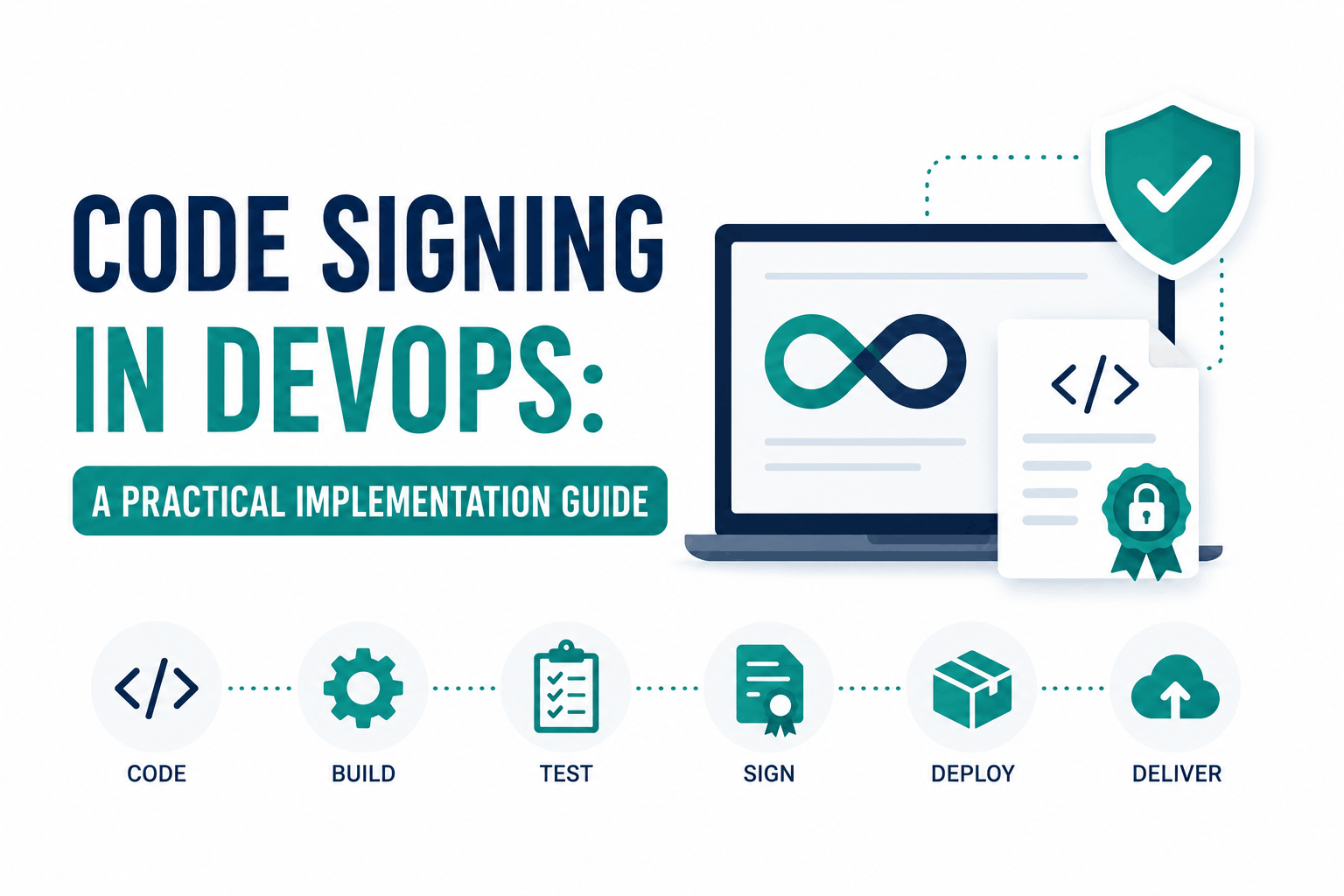
Code signing in a DevSecOps pipeline has one central design challenge: traditional code signing relies on a private key stored on a hardware token. CI/CD pipelines are ephemeral and stateless. You cannot plug a USB token into a GitHub Actions runner. The hardware token model that works for a developer signing a Windows installer from their workstation breaks completely when you need to sign artifacts automatically on every merge to main.
Most code signing guides describe the certificate-and-HSM model without addressing this fundamental CI/CD incompatibility. The result is that organizations either skip signing in automated pipelines, store private keys insecurely in pipeline environment variables (a significant supply chain risk), or implement workarounds that create maintenance overhead without solving the underlying problem properly.
This guide covers three implementation patterns that actually work in automated pipelines: cloud HSM signing, dedicated signing service integration, and Sigstore keyless signing. It also covers what to sign at each stage of the pipeline, how SLSA provenance extends code signing to prove how artifacts were built, and the governance controls that make signing meaningful rather than performative.
Why Code Signing Matters in DevSecOps: The Supply Chain Threat
Software supply chain attacks insert malicious code into the build or distribution process rather than attacking running systems directly. SolarWinds (2020) compromised the build system to inject malicious code into signed updates before they were distributed to customers. The signed update appeared legitimate because the build process was compromised upstream of the signing step. XZ Utils (2024) involved a long-term social engineering campaign to gain commit access to a widely-used open-source library.
Code signing in a properly implemented pipeline provides two properties: integrity (the artifact has not been modified since signing) and provenance (this specific build system, with this specific source code, at this specific time, signed this artifact). The integrity property alone does not prevent supply chain attacks if the build system itself is compromised before signing. Provenance attestations, covered later in this guide, address the build system trust question.
The practical value of code signing for most organizations is less dramatic than supply chain attack prevention: it prevents distribution of unauthorized or modified binaries, satisfies Windows and macOS code signing requirements that prevent installation warnings, proves release artifacts were produced by authorized build infrastructure, and provides an audit trail for compliance and incident investigation.
Pattern 1: Cloud HSM Signing via Key Management Service
Cloud HSM signing stores the code signing private key in a hardware security module managed by a cloud provider and provides API-based access for signing operations. The private key never leaves the HSM. The CI/CD pipeline authenticates to the cloud KMS, submits the hash to be signed, and receives the signature without ever accessing the raw key material.
AWS KMS signing
AWS KMS supports asymmetric key creation for signing operations. A code signing key created in KMS with SIGN_VERIFY key usage allows the pipeline to call kms:Sign with the artifact hash and receive a signature. The key never leaves AWS HSM infrastructure. Access is controlled through IAM policies: the pipeline role is granted kms:Sign permission on the specific key ARN, with conditions limiting use to specific pipelines or environments.
| # GitHub Actions workflow: sign a Windows binary using AWS KMS
# Assumes: OIDC federation configured between GitHub and AWS # No long-lived AWS credentials stored in GitHub secrets
name: Build and Sign on: push: tags: [‘v*’]
jobs: sign: runs-on: ubuntu-latest permissions: id-token: write # required for OIDC federation contents: read steps: – uses: aws-actions/configure-aws-credentials@v4 with: role-to-assume: arn:aws:iam::ACCOUNT:role/CodeSigningRole aws-region: us-east-1
# Compute digest of the artifact – name: Compute artifact digest run: | DIGEST=$(openssl dgst -sha256 -binary dist/setup.exe | base64) echo “DIGEST=$DIGEST” >> $GITHUB_ENV
# Call KMS to sign the digest – name: Sign via AWS KMS run: | aws kms sign \ –key-id $KMS_KEY_ARN \ –message-type DIGEST \ –signing-algorithm RSASSA_PKCS1_V1_5_SHA_256 \ –message fileb://<(echo -n “$DIGEST” | base64 -d) \ –output text –query Signature > signature.b64 |
OIDC federation between GitHub Actions and AWS (or Azure or GCP) is the modern approach for pipeline credentials. The pipeline receives a short-lived OIDC token from GitHub and exchanges it for temporary cloud credentials without any long-lived secrets stored in GitHub. This is the same zero-secrets-in-pipelines principle that Sigstore keyless signing uses, applied to cloud HSM access.
Azure Key Vault signing
Azure Key Vault Premium tier provides FIPS 140-2 Level 3 HSM-backed key storage. The pipeline authenticates via Azure Managed Identity or federated GitHub Actions credentials, then calls the Key Vault signing API. Azure’s AzureSignTool is a signtool.exe-compatible command-line tool that performs Authenticode signing using a certificate and key in Azure Key Vault, making it a drop-in replacement for signtool in Windows signing pipelines.
| # Install AzureSignTool (cross-platform .NET tool)
$ dotnet tool install -g AzureSignTool
# Sign a Windows binary using a certificate in Azure Key Vault: $ AzureSignTool sign \ –azure-key-vault-url https://myvault.vault.azure.net/ \ –azure-key-vault-certificate MyCertificate \ –azure-key-vault-managed-identity \ –timestamp-rfc3161 http://timestamp.digicert.com \ –timestamp-digest sha256 \ –file-digest sha256 \ dist/setup.exe
# –azure-key-vault-managed-identity uses the pipeline’s managed identity # No credentials in the command; authentication handled by the environment. |
Pattern 2: Dedicated Cloud Signing Services
Several CAs and certificate management platforms offer dedicated cloud signing services that bundle certificate issuance, HSM key storage, and signing API into a single service. These are optimized for DevSecOps signing workflows and reduce the operational complexity of building signing infrastructure from scratch.
| Service | Provider | Artifact types | Key storage | Best for |
| DigiCert KeyLocker | DigiCert | Windows (Authenticode), Java (JAR), any hash-based | FIPS 140-2 Level 3 cloud HSM | Organizations that need CA-issued OV/EV certificates with cloud HSM; legacy enterprise signing |
| SSL.com eSigner | SSL.com | Windows, Java, Android, scripts | FIPS 140-2 Level 3 cloud HSM | Similar to KeyLocker; also supports document signing |
| Azure Trusted Signing | Microsoft | Windows (Authenticode) primarily | Azure HSM | Windows applications requiring SmartScreen reputation; tight Azure DevOps integration |
| Sigstore public instance | OpenSource (Google/Linux Foundation/Red Hat) | Container images, OCI artifacts, generic files, SBOMs | Ephemeral keys only (keyless) | Open-source projects, container/cloud-native workloads, Python packages, npm |
| Notation with AWS Signer | AWS | Container images, OCI artifacts | AWS KMS / CloudHSM | AWS-native container pipelines; ECR artifact signing |
Pattern 3: Sigstore Keyless Signing for Container and Cloud-Native Artifacts
Sigstore is the most significant development in DevSecOps signing in the past five years and is largely absent from traditional code signing guides because it bypasses the private-key-on-HSM model entirely. It is backed by Google, Red Hat, and the Linux Foundation and has become the standard signing approach for Python packaging (PyPI), npm (partial adoption), Kubernetes ecosystem artifacts, and most major open-source projects.
The Sigstore components
- Cosign: The command-line tool for signing and verifying container images and other OCI artifacts. Stores signatures in the same OCI registry as the image, in a separate tag.
- Fulcio: A short-lived certificate authority. When you sign with keyless mode, Fulcio verifies your OIDC identity (GitHub Actions, Google account, etc.) and issues a certificate valid for 10 minutes, tied to that identity. The certificate is used to sign the artifact and then discarded.
- Rekor: An append-only public transparency log. Every signing event is recorded in Rekor: what was signed, when, by which identity. The log is tamper-evident. Verification checks the Rekor log for the signing record.
- Gitsign: Signs Git commits using Sigstore identity, replacing GPG commit signing with OIDC-based keyless commit signatures.
How keyless signing works in a pipeline
Instead of managing a long-lived private key, the pipeline authenticates with its OIDC provider (GitHub Actions OIDC, Google Workload Identity, etc.), obtains a short-lived token proving the identity, presents the token to Fulcio to receive a short-lived certificate, uses the certificate and its corresponding ephemeral key to sign the artifact, and records the signature in Rekor. After signing, the ephemeral key is discarded. There is no long-lived key to protect, rotate, or revoke.
| # GitHub Actions: sign a container image with Sigstore keyless signing
# No secrets required; GitHub Actions OIDC token provides the identity
name: Build and Sign Container on: push: branches: [main]
jobs: build-sign: runs-on: ubuntu-latest permissions: id-token: write # required for Sigstore OIDC packages: write # required to push to ghcr.io contents: read
steps: – uses: actions/checkout@v4
– name: Build and push container image run: | docker build -t ghcr.io/myorg/myapp:${{ github.sha }} . docker push ghcr.io/myorg/myapp:${{ github.sha }}
– name: Install cosign uses: sigstore/cosign-installer@v3
– name: Sign container image run: | cosign sign –yes \ ghcr.io/myorg/myapp@$(docker inspect –format='{{index .RepoDigests 0}}’\ ghcr.io/myorg/myapp:${{ github.sha }}) # –yes accepts the Rekor transparency log upload # cosign uses the ACTIONS_ID_TOKEN_REQUEST_URL env var for keyless signing
– name: Verify signature run: | cosign verify \ –certificate-identity https://github.com/myorg/myapp/.github/workflows/build.yml@refs/heads/main \ –certificate-oidc-issuer https://token.actions.githubusercontent.com \ ghcr.io/myorg/myapp:${{ github.sha }} |
The transparency log (Rekor) is what makes Sigstore keyless signing auditable. Because every signing event is recorded publicly and immutably, anyone can check whether a specific artifact was signed by a specific identity at a specific time. This creates a tamper-evident history of all signing events, similar to how Certificate Transparency logs work for SSL certificates. An artifact signed outside the normal pipeline (by a compromised build system, a rogue developer, or an attacker who gained pipeline access) leaves a trace in the Rekor log that differs from the expected signing identity.
What to Sign at Each Pipeline Stage
Signing everything at every stage is operationally impractical and adds latency without proportional security benefit. Signing at the right stages with the right artifact types is the practical goal.
| Pipeline stage | What to sign | Why | Signing approach |
| Source commits (optional) | Git commits | Proves each commit was authored by an authenticated developer; prevents unsigned commits from reaching protected branches | Gitsign (Sigstore keyless) or GPG key signing |
| Build output | Compiled binaries, JARs, packages | Proves the artifact came from the authorized build system and has not been modified after the build | signtool/AzureSignTool/KMS for native binaries; cosign for OCI artifacts |
| Container images | Docker/OCI images pushed to registry | Prevents unsigned or tampered images from being deployed; Kubernetes admission controllers can enforce signature verification | cosign keyless signing recommended for container-native workloads |
| Release artifacts | Final distribution packages, installers, archives | End-user and OS-level trust; Windows SmartScreen, macOS Gatekeeper, and Linux package managers verify signatures | CA-issued OV/EV certificate via cloud HSM for user-facing software |
| SBOMs | Software Bill of Materials files | Ties the SBOM to the artifact; proves the dependency list was not modified after build | cosign attest –type spdxjson or cyclonedx |
| Deployment manifests (optional) | Kubernetes manifests, Helm charts | Proves deployment configuration came from authorized source; verifiable at admission control | cosign or in-toto attestation |
SLSA Provenance: Proving How the Artifact Was Built
Signing proves that a specific artifact exists and was signed by a specific key or identity. It does not prove where the artifact came from, what source code it was built from, or what build environment produced it. SLSA (Supply chain Levels for Software Artifacts, pronounced ‘salsa’) provenance attestations address this.
A SLSA provenance attestation is a signed statement that describes the build: which source repository and commit, which build platform and workflow, what parameters and inputs were used, and the digest of the output artifact. The statement is signed by the build platform, not by a human developer. Verification checks that the provenance statement matches expectations: the correct repository, the correct branch, the authorized build workflow.
SLSA defines four levels of increasing assurance. Level 1 requires provenance to exist. Level 2 requires the provenance to be generated by the build platform (not the build script itself, which could be edited by an attacker). Level 3 requires the build platform to be hardened against tampering: the build environment is isolated, inputs are recorded, and the provenance is non-falsifiable. Level 4 requires hermetic builds where all dependencies are pinned.
| # Generate SLSA provenance for a GitHub Actions release
# Using the official SLSA GitHub Generator # This produces an in-toto attestation signed by GitHub’s Sigstore instance
name: Release with SLSA Provenance on: release: types: [created]
jobs: build: outputs: digests: ${{ steps.hash.outputs.digests }} runs-on: ubuntu-latest steps: – uses: actions/checkout@v4 – name: Build run: | make dist sha256sum dist/*.tar.gz > checksums.txt – name: Generate artifact digests id: hash run: | echo “digests=$(cat checksums.txt | base64 -w0)” >> $GITHUB_OUTPUT
provenance: needs: build permissions: id-token: write contents: write uses: slsa-framework/slsa-github-generator/.github/workflows/generator_generic_slsa3.yml@v2 with: base64-subjects: ${{ needs.build.outputs.digests }}
# Attach provenance to the release: # The generator workflow produces a .intoto.jsonl file that # consumers can verify using: slsa-verifier verify-artifact |
Governance: Making Signing Meaningful, Not Just Mechanical
A signing implementation that signs every artifact without controls is security theater. The private key that signs a malicious artifact is technically performing its function. Governance controls determine whether signing actually reduces risk or just generates signed artifacts of uncertain provenance.
Separation of duties
The identity that commits code should not be the same identity that signs the release artifact. In a properly structured pipeline, the build system (a service account with narrow permissions) performs signing based on a triggering event. No individual developer’s credentials are involved in the signing operation. This means a compromised developer account does not directly grant the ability to sign artifacts.
Signing policies
Define explicitly what the signing system is allowed to sign: which artifact types, from which branches, based on which triggering events, with which signing certificate. Most cloud HSM APIs support key usage policies: the KMS key for production signing can only be called from the production release workflow on protected branches.
Audit logging
Every signing event should be logged with: the identity that triggered signing, the artifact hash that was signed, the timestamp, the signing certificate or key identifier, and whether the signing succeeded or failed. Cloud KMS services log all signing operations in CloudTrail (AWS), Azure Monitor, or Cloud Audit Logs (GCP) by default. Sigstore’s Rekor provides a public, immutable log as a transparency mechanism. Review signing logs for anomalies: unexpected signing of artifacts outside release workflows, signing from unexpected identities or environments, or unusually high signing volumes.
Certificate and key rotation
Code signing certificates expire. The signed artifact remains trusted after certificate expiry only if a trusted timestamp was applied at signing time. Plan certificate rotation before expiry and ensure the new certificate is deployed to the signing infrastructure before the old one expires. For Sigstore keyless signing, there are no long-lived keys to rotate: the ephemeral keys are generated per signing event. Certificate rotation is not a concern in keyless signing architectures.
The most common code signing pipeline failure mode in production is not key compromise but silent renewal failure: the code signing certificate expires because the renewal process was not set up, the renewal job failed silently, or the renewed certificate was not deployed to the signing infrastructure. Set up expiry monitoring for all certificates involved in signing pipelines at the 60/30/14/7-day threshold milestones. An expired signing certificate in a CI/CD pipeline blocks all releases until it is replaced.
Frequently Asked Questions
How do I sign code in a CI/CD pipeline without a hardware token?
Three approaches work in automated pipelines. Cloud HSM signing stores the private key in a cloud KMS (AWS KMS, Azure Key Vault, GCP KMS) and provides an API for signing operations; the pipeline authenticates with OIDC federation (no stored credentials) and calls the signing API. Dedicated signing services (DigiCert KeyLocker, SSL.com eSigner, Azure Trusted Signing) bundle certificate and HSM infrastructure into a managed API. Sigstore keyless signing uses OIDC identity to get a short-lived certificate from Fulcio, signs the artifact, records the event in Rekor, and discards the ephemeral key; no long-lived key management required, best suited for container and cloud-native artifacts.
What is Sigstore and why is it relevant for DevSecOps?
Sigstore is an open-source project (backed by Google, Red Hat, and the Linux Foundation) that provides infrastructure for signing and verifying software artifacts. Its key innovation is keyless signing: instead of managing a long-lived private key, the pipeline uses its OIDC identity (GitHub Actions, Google account) to get a short-lived certificate from Fulcio CA, signs the artifact with an ephemeral key, and records the signing event in Rekor (an append-only public transparency log). This eliminates private key management from the signing workflow entirely. Sigstore is now the standard signing approach for Python packages (PyPI), Kubernetes ecosystem artifacts, and most major open-source projects. Cosign, the Sigstore tool for container image signing, integrates natively with GitHub Actions, GitLab CI, and major container registries.
What is SLSA and how does it extend code signing?
SLSA (Supply chain Levels for Software Artifacts) is a framework that defines levels of build integrity assurance. Code signing proves what was signed. SLSA provenance proves how the artifact was built: which source code, which build system, which workflow, what inputs. A SLSA provenance attestation is a signed statement generated by the build platform (not the build script) that records the complete build context. Verification confirms that the provenance matches expectations and that the artifact hash in the provenance matches the artifact being verified. SLSA Level 2 (provenance generated by the build service) is achievable with GitHub Actions and the SLSA GitHub Generator with minimal effort and provides meaningful supply chain transparency.
Should I sign every artifact or only release artifacts?
Sign release artifacts and container images at minimum. Every artifact published to a package registry, distributed to end users, or deployed to production should be signed. Signing development builds and feature branch artifacts is optional and adds pipeline overhead without proportional security benefit since these artifacts are not distributed externally. The signing cost in pipeline latency is typically a few seconds for most artifacts. The governance consideration is more important than the performance consideration: make sure the signing identity, certificate, and key usage policy match the trust level appropriate for what is being signed.

