
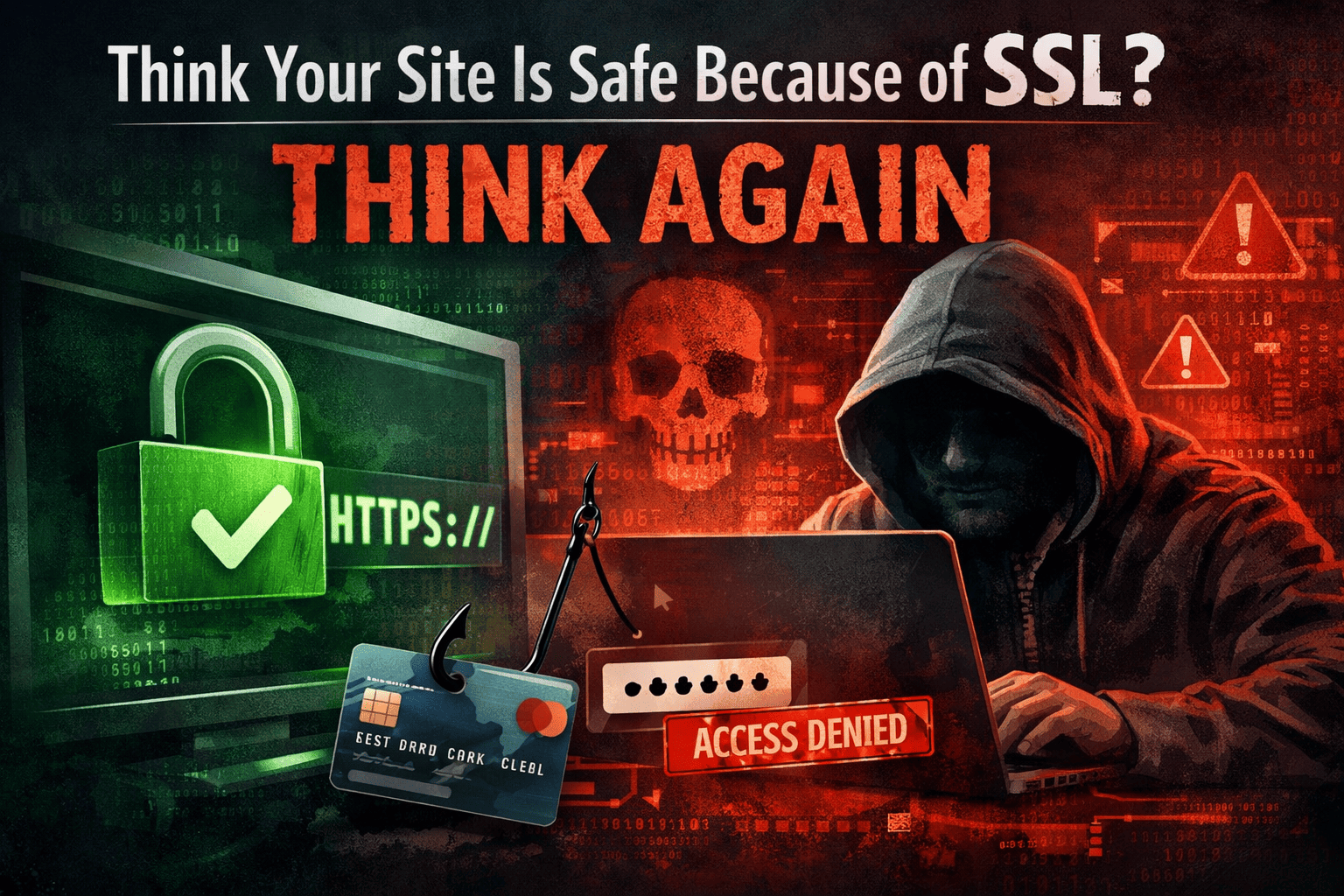
There is a widespread belief that has quietly taken root across the internet, one that digital security professionals find genuinely alarming: if a website has a padlock icon in the browser bar, it must be safe to use.
That belief is wrong, and it is costing people real money, real data, and real peace of mind.
SSL (Secure Sockets Layer) and its modern successor TLS (Transport Layer Security) are foundational technologies. Every business that operates online should have a valid certificate installed. But owning a certificate and running a secure website are two very different things. The padlock tells you that data traveling between your browser and a server is encrypted. It tells you nothing about what happens on that server, who owns it, or what they plan to do with your information once it arrives.
This guide breaks down exactly what SSL does protect, what it completely fails to address, and what you actually need to run a website that earns the trust your visitors place in it. If you own a website, manage one for a client, or simply want to shop and browse with confidence, this is the clearest explanation you will find.
Understanding What SSL Actually Does
Before examining the gaps, it is worth being honest about what SSL does well.
When a browser connects to an HTTPS website, a process called the TLS handshake happens in the background. The server presents its certificate, the browser verifies it against a trusted Certificate Authority (CA), and both sides negotiate an encryption method. From that point on, all data moving between the browser and the server is encrypted. Anyone intercepting that data stream, whether on a public Wi-Fi network, at an ISP level, or through a man-in-the-middle position, sees scrambled gibberish rather than readable information.
This protection is real and valuable. Without it, every login credential, credit card number, and personal detail you submit to any website would travel across the internet in plaintext, readable by anyone with the technical means to intercept it. SSL/TLS encryption ended that era. Over 87% of websites worldwide now use a valid SSL certificate by default, according to W3Techs data from January 2026, compared to only 18.5% a decade ago.
SSL also provides a layer of server authentication. When a browser successfully validates your certificate, it confirms that the domain you are visiting matches the certificate on record, and that the certificate was issued by a CA the browser trusts. This is meaningful. It means someone cannot easily impersonate a specific domain with a matching trusted certificate.
So the technology works. The problem is that “works” has a much narrower definition than most people assume.
The Padlock Problem: What Most People Get Wrong
For years, browser developers used a green padlock icon to signal a secure connection. The implication was clear: padlock equals safety. Users learned this association well. They check for the padlock before entering card details. They feel reassured when they see it. Phishing operations and fraudulent websites figured this out years ago and have been exploiting it ever since.
The data here is not ambiguous. According to the Anti-Phishing Working Group (APWG), more than 90% of phishing sites in 2023 displayed a valid HTTPS padlock. Between October and December of 2024, APWG recorded nearly 989,000 phishing incidents. The vast majority of those fraudulent sites had SSL certificates. They had the padlock. They looked, to a visitor scanning the browser bar, just like any other legitimate website.
A 2024 analysis by Zscaler’s ThreatLabz found that nearly half of all malicious websites they examined used SSL certificates issued by Let’s Encrypt, the widely trusted free certificate authority. Let’s Encrypt issues certificates automatically, verifying only that an applicant controls a domain. It asks no questions about what the site is for, who runs it, or whether their intentions are legitimate. For fraudsters, obtaining a padlock takes minutes and costs nothing.
Google recognised the confusion this created. Starting with Chrome version 117 in 2023, Google replaced the classic padlock icon with a neutral “tune” icon. Their reasoning was direct: the padlock was not signalling trustworthiness, and keeping it in place was spreading a dangerous misunderstanding.
The padlock tells you the connection is encrypted. It does not tell you the destination is trustworthy.
Seven Ways SSL Leaves Your Website Exposed
1. SSL Cannot Stop Phishing and Fake Websites
The most exploited gap is also the most misunderstood. Cybercriminals routinely build cloned versions of legitimate websites, register similar-looking domains (secure-paypa1.com instead of paypal.com, for example), obtain a free DV certificate, and wait for victims to arrive via phishing emails.
According to Tripwire’s 2023 Domain Impersonation Report, over a million fake domains were registered in just six months, many deliberately left dormant before being activated with HTTPS to host cloned login pages. A 2025 study by Keepnet Labs found that new employees were 44% more likely to click phishing links during their first 90 days, especially when they saw a padlock reassuring them the connection was secure.
SSL encrypts the path. It cannot evaluate the destination.
2. SSL Does Not Protect Your Server or Database
An SSL certificate exists at the network transport layer. It handles encryption between a browser and a server. Once data arrives at the server and is decrypted, SSL’s job is done. Everything that happens inside your server, your application code, your database, your file storage, is completely outside SSL’s scope.
This means SQL injection attacks, where malicious code is inserted through input fields to manipulate a database, are entirely unaffected by whether a site has an SSL certificate or not. Cross-site scripting (XSS) attacks, where malicious JavaScript is injected into web pages to steal session cookies or redirect users, proceed exactly the same whether the site runs HTTP or HTTPS. Server misconfigurations, outdated software, insecure file permissions, and poor access controls remain exactly as dangerous on an HTTPS site as on any other.
The Open Web Application Security Project (OWASP) publishes an annual list of the most critical web application risks. Injection attacks and broken access control consistently top that list. None of them are stopped by an SSL certificate.
3. SSL Does Not Protect Data Once It Reaches Its Destination
Encryption protects data in transit. The moment that data reaches its destination and is decrypted, the protection ends. If a company stores user passwords in plaintext in a database, an SSL certificate provides zero protection against a database breach. If a server fails to hash sensitive data before storage, the SSL certificate is irrelevant when an attacker gains access to those files.
High-profile data breaches routinely occur at companies that use valid SSL certificates on all their public-facing infrastructure. In October 2025, Canadian airline WestJet confirmed that personal and travel data of 1.2 million passengers were stolen in a cyberattack. The airline’s website had HTTPS throughout. The breach occurred because of how data was handled once it was inside the system, not because of anything related to certificate status.
4. Malware Uses SSL to Hide
This represents one of the most significant shifts in the threat landscape over the past several years. Because HTTPS is now the internet standard, malware authors have adapted. The WatchGuard Q1 2025 Internet Security Report found that 71% of malware now arrives over encrypted connections, deliberately using valid SSL traffic to bypass legacy security tools that do not inspect encrypted content.
Encrypted communications channels are used to exfiltrate data, deliver payloads, and maintain command-and-control connections to compromised systems, all over channels that appear legitimate from a certificate standpoint. An organisation’s SSL setup can be impeccable while malware operates freely inside the encrypted traffic.
5. Free DV Certificates Offer Only Basic Encryption, Not Identity Verification
There are three main validation levels for SSL certificates: Domain Validation (DV), Organisation Validation (OV), and Extended Validation (EV). Understanding the difference matters enormously.
A Domain Validation certificate verifies only that the applicant controls the domain. No business verification, no identity checks, no examination of what the site is for. It is issued in minutes, often at no cost. This is sufficient for a personal blog or informational site, but it provides visitors with no assurance that they are dealing with a legitimate organisation.
An Organisation Validation certificate requires the Certificate Authority to verify the existence and identity of the applying business, cross-referencing business registration records and often making phone contact. The verified information is embedded in the certificate. Visitors to an OV-secured site can inspect the certificate and confirm they are interacting with a real, verified company.
An Extended Validation certificate applies the most rigorous vetting process available, verifying legal registration, physical address, and operational legitimacy through official documentation. EV certificates are typically used by banks, financial institutions, and major e-commerce platforms where maximum identity assurance is critical.
Because 94.3% of all issued SSL certificates are DV certificates according to 2025 Netcraft data (largely driven by free providers), the SSL ecosystem is flooded with certificates that confirm nothing about the organisations behind the websites. That 90% phishing statistic makes complete sense when you understand that most phishing sites simply obtain the same free DV certificate that millions of legitimate sites use.
If your business website collects customer data, processes payments, or handles any sensitive information, understanding which SSL certificate type fits your specific needs is a decision that directly affects customer trust. Choosing an OV SSL certificate from a verified provider adds a layer of business identity assurance that DV simply cannot provide.
6. Mixed Content Vulnerabilities Undermine HTTPS Protection
A site can have a valid SSL certificate installed on its server and still have its security compromised by mixed content errors. This happens when an HTTPS page loads some resources, such as images, scripts, stylesheets, or video embeds, over HTTP rather than HTTPS. The secure connection covers the HTML, but insecure resources can be intercepted and modified.
Browsers flag this with warnings, but many site owners never see these warnings in the backend. Resources loaded over HTTP can be replaced in transit with malicious versions. A compromised script served over HTTP on an otherwise HTTPS page can capture form inputs, redirect users, or install malware. Having an SSL certificate installed does not automatically make every element of your site secure. Every resource needs to load over HTTPS, and HTTP Strict Transport Security (HSTS) headers should be configured to enforce this at the browser level.
7. Expired Certificates and Misconfigurations Create Active Security Gaps
An expired SSL certificate is not a minor administrative oversight. It means the encrypted connection your users rely on has lapsed, and browsers will block access to your site entirely or display alarming warnings that drive visitors away. Expired certificates are the most common cause of service outages related to SSL.
Beyond expiration, misconfiguration introduces serious risks. Servers still supporting deprecated protocols like TLS 1.0 or TLS 1.1 are vulnerable to known attacks including POODLE and BEAST. Servers using weak cipher suites can be exploited through downgrade attacks that force negotiation to a less secure protocol. According to an SSL Pulse report from late 2024, around 30% of websites did not follow best practices for SSL implementation despite having certificates installed.
SSL certificate management, particularly for organisations with multiple domains or subdomains, requires attention. Organisations running several online properties should understand the practical difference between wildcard and standard SSL certificates to manage their certificate portfolio effectively without gaps.
What Certificate Authorities Actually Check (And What They Don’t)
The trust model underlying SSL depends on Certificate Authorities, organisations that are trusted by browsers to validate and vouch for certificate applicants. The strength of that validation varies considerably between certificate types.
For DV certificates, the CA checks only domain control. An email arrives, a DNS record is checked, or a file is uploaded. Once domain control is confirmed, the certificate is issued. The CA makes no enquiry about whether the site is used for legitimate purposes, whether the organisation is real, or whether the applicant has any fraudulent history.
For OV certificates, the CA goes further, verifying that the applying organisation actually exists, that the applicant is authorised to request certificates on its behalf, and that the listed details match official business records. This takes longer, typically one to three business days, and requires documentation. Critically, it gives the certificate meaning beyond encryption.
For EV certificates, the process is the most stringent. CAs verify legal registration documents, physical address, right-to-operate, and actively reach out to the organisation through verified contact channels. The certificate then carries the verified legal identity of the organisation.
Phishing operations almost exclusively use DV certificates. A 2024 analysis found that 90.5% of phishing sites used DV certificates, with only a handful using OV certificates. No phishing sites were found using legitimate EV certificates; the handful of EV-certified sites identified in phishing investigations were legitimate sites that had been hacked rather than sites built by attackers.
This is why comparing SSL certificate options carefully before purchasing matters for businesses. A free DV certificate from Let’s Encrypt is appropriate for a personal blog. It is not an appropriate security signal for a financial services firm, an e-commerce store, or any site where customers need to verify they are dealing with the company they intend to.
What Real Website Security Actually Looks Like
SSL is a necessary foundation, not a finished security posture. Here is what a properly secured website actually requires, beyond the certificate itself.
Web Application Firewall (WAF). A WAF sits between your website and its visitors, inspecting incoming traffic and blocking malicious requests before they reach the application. This is effective against SQL injection, XSS, and cross-site request forgery (CSRF). A WAF does what SSL cannot: it examines the content and intent of requests, not just their encryption status.
Input Validation and Output Encoding. Every piece of data that enters a web application from users, APIs, or third-party sources should be validated and sanitised. Parameterised queries prevent SQL injection. Proper output encoding prevents XSS. These are developer-level decisions that have nothing to do with what certificate the site is running.
Secure Data Storage. User passwords should never be stored in plaintext. Sensitive data should be encrypted at rest. Access to database systems should be restricted by role, with the principle of least privilege applied throughout the infrastructure.
Regular Updates and Patch Management. The vast majority of successful exploits target known vulnerabilities in outdated software. Content Management Systems (CMS), plugins, server software, and frameworks all require regular updates. An SSL certificate on an unpatched WordPress installation provides no protection against a CMS-level vulnerability.
HTTP Security Headers. Headers such as Content Security Policy (CSP), X-Content-Type-Options, X-Frame-Options, and HTTP Strict Transport Security (HSTS) instruct browsers on how to handle your site’s content securely. CSP is particularly effective against XSS attacks, allowing site owners to specify exactly which sources of scripts and resources are trusted. These headers work alongside SSL rather than being replaced by it.
Multi-Factor Authentication. SSL protects the login form’s data transmission. It does not protect against credential stuffing, brute force attacks, or reused passwords. MFA adds an authentication layer that survives even if credentials are compromised.
Regular Security Audits and Penetration Testing. Automated scanning tools identify known vulnerabilities. Manual penetration testing by qualified security professionals can find logical vulnerabilities that automated tools miss. Neither activity is made unnecessary by having an SSL certificate.
For businesses operating across multiple domains, the practical question of SSL certificate coverage for internal servers matters too: internal systems are increasingly held to the same encryption standards as public-facing ones, particularly under regulations like HIPAA, PCI-DSS, and GDPR.
The Quantum Computing Risk: SSL’s Future Challenge
Current SSL encryption standards, specifically AES-256 session keys, are computationally impossible to break with today’s hardware through brute force. The mathematical challenge is genuinely enormous. However, the industry is now preparing for what security researchers call “Q-Day.”
According to NIST guidelines updated in 2025 and 2026, standard RSA-2048 certificates could become vulnerable to quantum computers by 2030. The timeline is not immediate, but the implications are significant enough that the transition to Post-Quantum Cryptography (PQC) is already underway across industry and government. Organisations with long-term data security obligations should be aware that the cryptographic foundation SSL rests on is not permanent.
This does not mean SSL is insecure today. It means the threat landscape continues to evolve, and treating any single security measure as a permanent solution is strategically unwise.
Practical Guidance: Choosing the Right Certificate for Your Site
Not every website needs the same level of SSL validation. Here is a realistic guide based on site type:
A personal blog, portfolio site, or simple informational page does not collect sensitive data or process transactions. A DV certificate from a reputable provider is appropriate. It provides encryption, satisfies browser requirements, and costs little to nothing.
A small business website that collects enquiry forms, contact details, or basic account registrations should consider an OV certificate. Visitors who click through to inspect the certificate will see verified business information rather than a certificate that proves only domain ownership. For small businesses comparing providers, exploring affordable SSL options for small businesses reveals that the price difference between DV and OV is often smaller than assumed.
An e-commerce store, financial services site, or any platform handling payment details or sensitive personal data should use OV at minimum, with EV certification strongly worth considering. The rigorous identity verification that EV requires is a genuine trust signal to security-conscious customers, even if browsers no longer display the old green address bar.
An organisation running multiple websites, subdomains, or a mix of domains should evaluate multi-domain and wildcard certificate options to manage the administrative overhead while maintaining consistent coverage. Understanding the technical differences between SSL certificate providers helps organisations make cost-effective decisions without leaving gaps.
The Misconception That Keeps Sites Vulnerable
It would be unfair to suggest that SSL certificates are marketed deceptively. The technology does exactly what it says it does. The problem is a gap between what the technology does and what millions of website owners and users believe it does.
A survey landscape in 2025 confirmed that users continue to associate the padlock with overall site safety rather than connection encryption. Attackers continue to exploit this gap at scale. The phishing attack that begins with a credible-looking HTTPS domain, proceeds through a cloned login page, and ends with compromised credentials, is one of the most successful and consistently deployed attack vectors in the threat landscape today.
Understanding SSL honestly, as a necessary transport-layer encryption tool and a basic trust signal that tells you very little on its own, is the starting point for making better decisions about website security and safer choices when browsing the internet.
The padlock is the front door of a building. It matters. A building without a door is not safe. But a door alone is not a security system.
Summary: What SSL Does and Does Not Do
SSL correctly installed on a website with a certificate from a reputable CA will encrypt data in transit between users and your server, prevent straightforward man-in-the-middle interception of transmitted data, satisfy browser HTTPS requirements, positively contribute to search engine visibility, and provide domain ownership verification (DV) or business identity verification (OV/EV) depending on the certificate type chosen.
SSL will not protect your server-side application from injection attacks or code vulnerabilities, stop a fraudulent website from obtaining its own certificate and mimicking your brand, secure data once it has arrived at your server and been decrypted, prevent malware from operating through encrypted channels, guarantee that visitors are dealing with a legitimate organisation when only a DV certificate is present, or secure your internal systems, databases, or file storage.
Where to Go From Here
If you run a website and are uncertain about whether your current SSL setup is right for your situation, the most practical first step is to understand exactly what type of certificate you currently have and whether the level of validation matches what your visitors need to trust you.
If you have a DV certificate on a site that collects customer data, browsing the differences between DV, OV, and EV validation levels will help you make an informed upgrade decision. If you are managing multiple domains or subdomains, exploring wildcard and multi-domain options may save administrative overhead while closing coverage gaps.
Security decisions compound over time. Every measure you put in place, SSL certificate, WAF, secure coding practices, regular patching, correct security headers, adds a layer that attackers need to overcome. No single layer is sufficient, and no single layer is replaceable. SSL is where every secure website begins. It is not where responsible security ends.
For additional guidance on comparing SSL certificate types, providers, and pricing, Compare Cheap SSL offers independent, detailed comparisons across DV, OV, EV, Wildcard, and Multi-Domain certificates from all major Certificate Authorities.
External Resources:
- OWASP Top 10 Web Application Security Risks for a developer-level breakdown of the most critical application vulnerabilities that SSL does not address.
- Google’s HTTPS Transparency Report for real-time data on HTTPS adoption across the web.
- APWG Phishing Activity Trends Reports for current statistics on phishing attack volumes and techniques, including the use of HTTPS on fraudulent sites.
- NIST Post-Quantum Cryptography Standards for the official guidance on preparing SSL infrastructure for the quantum computing era.

