
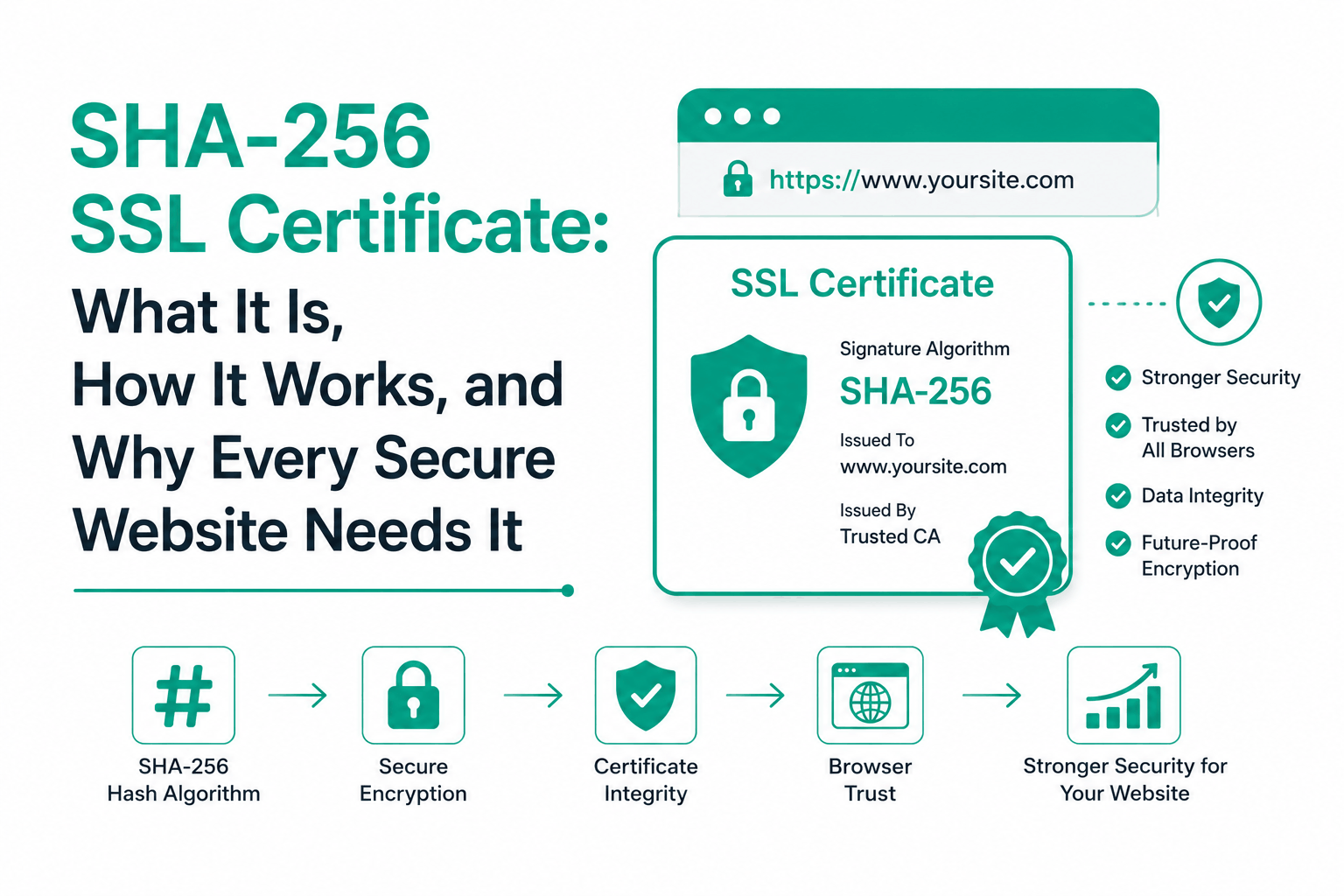
When you buy an SSL certificate today, it almost certainly uses SHA-256 as its signature algorithm. Your hosting provider may mention SHA-256 in the certificate details. Your browser shows it when you click the padlock on any HTTPS website. But what does SHA-256 actually do inside an SSL certificate, why did the industry switch to it, and does the choice of hash algorithm affect your website’s security and search rankings?
This guide covers everything a website owner or developer needs to know about SHA-256 SSL certificates: how the algorithm works, the role it plays in certificate signing and HTTPS security, how SHA-256 compares to the older SHA-1 standard that it replaced, and how to verify that your current SSL certificate is using SHA-256. No background in cryptography is required.
What Is SHA-256?
SHA-256 stands for Secure Hash Algorithm 256-bit. It is a cryptographic hash function developed by the United States National Security Agency and published by the National Institute of Standards and Technology (NIST) as part of the SHA-2 family of algorithms in 2001.
A hash function takes any input, whether that is a single word, a 10MB file, or an entire SSL certificate, and produces a fixed-length output called a hash or digest. SHA-256 always produces a 256-bit output, which is 64 hexadecimal characters. Every unique input produces a unique output. Changing even a single character in the input completely changes the output hash. This property is called the avalanche effect, and it is what makes SHA-256 useful for verifying data integrity.
The 256 in the name refers to the output size in bits. A 256-bit hash has 2^256 possible values, a number so large it exceeds the estimated number of atoms in the observable universe. This makes it computationally infeasible to find two different inputs that produce the same hash (a collision attack) or to reverse the hash to find the original input (a preimage attack).
SHA-256 is one member of the SHA-2 family. The SHA-2 family also includes SHA-224, SHA-384, SHA-512, and other variants. When people say SHA-2 in the context of SSL certificates, they almost always mean SHA-256 specifically, since that is the variant CAs use for certificate signatures. SHA-256 is not a different algorithm from SHA-2; it is the most widely deployed member of the SHA-2 family.
How SHA-256 Works Inside an SSL Certificate
Understanding what SHA-256 does inside an SSL certificate requires understanding one key concept: Certificate Authorities do not sign your entire certificate. They sign a hash of your certificate.
When a Certificate Authority issues an SSL certificate for your domain, it takes all the certificate data (your domain name, your public key, the validity dates, the Subject Alternative Names, and various other fields) and runs it through SHA-256 to produce a 256-bit hash. The CA then signs that hash using its own private key, creating the certificate’s digital signature. This signature is attached to the certificate along with the data it was computed from.
When your browser connects to your website, it receives this certificate. The browser independently computes the SHA-256 hash of the certificate data it received. It then decrypts the CA’s signature using the CA’s public key (which the browser has in its trust store) to recover the hash the CA computed when it issued the certificate. If the two hashes match, the browser knows two things: the certificate was genuinely issued by that CA, and no one has tampered with the certificate data since it was signed.
The reason CAs hash the certificate before signing it, rather than signing the certificate data directly, is efficiency and security. Signing a full certificate with an RSA or ECDSA private key operation on raw data is impractical for large certificates. Signing a fixed 256-bit hash is fast regardless of how large the certificate is. More importantly, signing a hash rather than the raw data provides specific cryptographic properties that direct signature schemes do not guarantee in the same way.
This signing mechanism is why the signature algorithm shown in your SSL certificate details says SHA-256 with RSA (written as sha256WithRSAEncryption) or SHA-256 with ECDSA (written as ecdsa-with-SHA256). It refers to SHA-256 being the hash function used to create the digest that the RSA or ECDSA private key then signs. These are the two most common signature algorithms in SSL certificates today.
The Role SHA-256 Plays in HTTPS Security
SHA-256 appears in several places in the HTTPS security model, not only in certificate signing. Understanding each role clarifies why the algorithm matters for website security.
Certificate integrity verification
As described above, SHA-256 is used to produce the digest that the CA signs when issuing the certificate. This is the most direct role of SHA-256 in SSL certificate security. Any attacker who attempts to modify your certificate, changing the domain name, public key, or any other field, would change the SHA-256 hash of the certificate data. The CA’s signature would then fail verification because it was computed over the original hash, not the modified one. Browsers detect this mismatch instantly and reject the certificate.
TLS cipher suite MAC and key derivation
SHA-256 also appears in TLS cipher suite names, where it serves a different role from certificate signing. In a TLS cipher suite like ECDHE-RSA-AES256-GCM-SHA384, the SHA-384 at the end refers to the hash function used for HMAC authentication of data during the encrypted session. In TLS 1.3, SHA-256 is used in the HKDF key derivation function that generates session keys from the handshake secrets. These uses of SHA-256 are distinct from its role in certificate signing, though they all contribute to the overall security of the HTTPS connection.
Certificate fingerprinting
Browsers and SSL monitoring tools commonly display a SHA-256 fingerprint for each certificate: the SHA-256 hash of the entire certificate file. This fingerprint provides a short, unique identifier for a specific certificate. If two certificates have the same SHA-256 fingerprint, they are identical. Security teams use fingerprints to track which certificate is deployed where, to verify that the correct certificate was installed after a renewal, and to detect when an unexpected certificate is being served for a domain.
SHA-256 vs SHA-1: Why the SSL Industry Moved Away from SHA-1
Before 2015, most SSL certificates used SHA-1 as their signature hash algorithm. SHA-1 produces a 160-bit output compared to SHA-256’s 256-bit output. For most of the 2000s, SHA-1 was considered secure enough for SSL certificate signing. That changed when cryptographic research identified increasingly practical collision attacks against SHA-1.
A collision attack finds two different inputs that produce the same hash output. In the context of SSL certificates, a successful collision attack would allow an attacker to create a malicious certificate that produces the same SHA-1 hash as a legitimately CA-signed certificate. The attacker could then attach the CA’s valid signature to their fraudulent certificate, making it appear genuine to browsers.
In 2017, Google and CWI Amsterdam executed the SHAttered attack and produced the first known SHA-1 collision in practice, using approximately 110 GPU-years of computation. While this level of compute is significant, it is within reach of well-funded attackers. All major CAs stopped issuing SHA-1 signed certificates in 2015 and 2016. All major browsers began rejecting SHA-1 certificates with hard errors in 2017.
| Property | SHA-1 Certificate | SHA-256 Certificate |
| Output size | 160 bits | 256 bits |
| Collision resistance | Broken (SHAttered attack 2017) | 128-bit effective resistance — no known attack |
| Browser support | Rejected with hard error in all modern browsers since 2017 | Supported in all browsers and operating systems |
| CA issuance | No publicly trusted CA issues SHA-1 certificates | Standard for all publicly trusted SSL certificates since 2016 |
| Security status | Deprecated and unsafe for SSL | Current standard — recommended for all SSL certificates |
| Signature algorithm name | sha1WithRSAEncryption | sha256WithRSAEncryption or ecdsa-with-SHA256 |
If a security scan or SSL audit reports that your certificate uses SHA-1, replace it immediately. All major browsers display a hard security error for SHA-1 signed certificates. Your visitors cannot reach your site without bypassing a full-screen security warning. No publicly trusted CA will issue a new SHA-1 certificate, so the replacement will automatically use SHA-256.
Does SHA-256 Affect Your Website’s SEO and Google Rankings?
Google confirmed HTTPS as a ranking signal in 2014. Websites served over HTTPS receive a small ranking benefit compared to equivalent HTTP sites. A properly configured SSL certificate, which in 2026 means a SHA-256 signed certificate, is required to serve HTTPS and receive this ranking benefit.
SHA-256 itself is not a direct SEO signal. Google does not reward a SHA-256 certificate over any other currently secure hash algorithm. What Google cares about is whether HTTPS is active, whether the certificate is valid, and whether the connection is secure. All of these conditions require a valid, unexpired SSL certificate from a trusted CA, and all current trusted CA certificates use SHA-256 signatures.
The indirect SEO connection is through browser trust signals. A site with an invalid certificate, an expired certificate, or (for any legacy site) a SHA-1 certificate shows a security warning that blocks visitors from the site. High bounce rates and reduced crawl success from security warnings negatively affect rankings. A correctly deployed SHA-256 SSL certificate ensures none of these problems occur.
Google Search Console reports HTTPS coverage errors and certificate problems under the Security Issues section. After installing or renewing your SSL certificate, run your site through the SSL Labs server test at ssllabs.com/ssltest and confirm your certificate shows SHA-256 as the signature algorithm and receives an A or A+ grade. An A+ grade confirms your HTTPS configuration is complete and browser-trusted.
How to Check Whether Your SSL Certificate Uses SHA-256
Verifying that your SSL certificate uses SHA-256 takes under a minute and can be done directly from a browser without any technical tools.
In Chrome (desktop)
- Navigate to your website in Chrome
- Click the padlock icon or the lock symbol in the address bar
- Click Connection is secure
- Click Certificate is valid
- In the certificate viewer, click the Details tab
- Scroll down to Signature algorithm or Signature hash algorithm
- It should show SHA-256 or sha256WithRSAEncryption or ecdsa-with-SHA256
In Firefox (desktop)
- Click the padlock icon in the address bar
- Click the arrow or More information button
- Click View Certificate
- Under the Miscellaneous section, look for Signature Algorithm
- SHA-256 will appear as SHA-256 or SHA256withRSA
Using the SSL Labs online tool
For a comprehensive check that also verifies your certificate chain, expiry date, and TLS configuration alongside the signature algorithm, visit ssllabs.com/ssltest and enter your domain name. The test results show the Signature Algorithm field prominently in the certificate details section. This method also shows the full certificate chain and identifies any intermediate certificate issues that browser-based checking might miss.
Site owners should run the SSL Labs test after installing any new SSL certificate or after switching hosting providers, not just to confirm SHA-256 but to verify the complete certificate chain, confirm no weak cipher suites are offered, and ensure TLS 1.0 and TLS 1.1 are disabled. A complete HTTPS configuration check takes about 60 seconds and prevents the most common SSL configuration mistakes.
SHA-256 Across Different SSL Certificate Types
SHA-256 is the standard signature algorithm across all certificate types available from publicly trusted CAs. Whether you are buying a basic Domain Validated certificate, a business-verified Organization Validated certificate, an Extended Validation certificate, a wildcard certificate, or a multi-domain SAN certificate, the CA signs it using SHA-256. The validation level and coverage type do not affect the signature algorithm.
| Certificate Type | Uses SHA-256 | Validated By | Common Use Case |
| DV (Domain Validated) | Yes — standard | Automated domain control check | Blogs, personal sites, basic HTTPS |
| OV (Organization Validated) | Yes — standard | Domain + business identity verification | Business websites, B2B portals |
| EV (Extended Validation) | Yes — standard | Domain + full legal entity verification | Finance, healthcare, e-commerce |
| Wildcard SSL | Yes — standard | Domain control for *.yourdomain.com | SaaS apps, multiple subdomains |
| Multi-domain SAN | Yes — standard | Domain control for each listed domain | Multiple sites, agencies |
| Free Let’s Encrypt | Yes — standard | Automated domain control (ACME) | Development, small sites, any DV use |
Free SHA-256 SSL Certificates: What Let’s Encrypt Provides
Let’s Encrypt issues free SHA-256 signed DV certificates through the ACME automated certificate management protocol. These certificates provide exactly the same SHA-256 signature strength as paid certificates. The difference between a free Let’s Encrypt certificate and a paid certificate is not the hash algorithm or encryption strength. Both use SHA-256 signatures. Both use the same TLS protocols. Both show a padlock in browsers.
The differences lie in validation level, warranty, support, and certificate type options. Let’s Encrypt only issues Domain Validated certificates. It does not offer Organization Validated or Extended Validation certificates, which require human review of business identity. Paid DV certificates from commercial CAs offer financial warranties and dedicated customer support. Let’s Encrypt certificates have a 90-day validity period and require automated renewal, while commercial CAs offer multi-year licenses with reissuance included.
For sites that need OV or EV validation to display their business identity in the certificate, or for sites that want the warranty coverage and support of a commercial CA, a paid SHA-256 certificate is the right choice. For personal sites, developer environments, or any use case where DV validation is sufficient, a free Let’s Encrypt SHA-256 certificate provides complete HTTPS security at no cost.
Is SHA-256 Future-Proof? Quantum Computing and Long-Term Security
The question of whether SHA-256 is secure against quantum computers comes up regularly as quantum hardware development continues. The relevant quantum algorithm is Grover’s algorithm, which provides a quadratic speedup for unstructured search problems. Applied to hash functions, Grover’s algorithm effectively halves the security margin: a 256-bit hash provides approximately 128 bits of effective security against a quantum computer running Grover’s algorithm, compared to the full 256 bits of security against classical computers.
128-bit effective security against quantum computers remains computationally infeasible with any quantum hardware that exists today or is projected to exist in the foreseeable future. NIST’s Post-Quantum Cryptography standardization project, which finalized its first post-quantum algorithm standards in 2024, focused on asymmetric cryptography such as RSA and ECDSA key pairs, not on hash functions. NIST considers SHA-256 adequate for use in the quantum era and has not recommended replacing it for hash purposes.
The more immediate quantum computing threat to SSL certificates is to the RSA and ECDSA public key algorithms used in key exchange and certificate signing, not to SHA-256 itself. Work on post-quantum SSL certificates is ongoing, with CRYSTALS-Dilithium and other lattice-based algorithms being evaluated for certificate signing. When post-quantum certificates become mainstream, they will likely still use SHA-256 for hashing, with a different algorithm for the public key operations.
Practical Steps for Website Owners: Getting a SHA-256 SSL Certificate
If you are setting up HTTPS for your website or replacing an older certificate, the process of getting a SHA-256 SSL certificate is the same as getting any current SSL certificate, because all CAs issue SHA-256 by default.
If you already have an SSL certificate
Check your current certificate using the browser steps described earlier in this guide. If it shows sha256WithRSAEncryption or ecdsa-with-SHA256 in the signature algorithm field, your certificate is already using SHA-256 and no action is needed regarding the hash algorithm. Ensure your certificate has not expired and that the certificate chain is complete using the SSL Labs test.
If you need a new SSL certificate
Every publicly trusted CA issues SHA-256 certificates automatically. You do not need to request SHA-256 specifically or configure it anywhere. Simply purchase the SSL certificate type appropriate for your site, complete the domain validation or business validation process required for that certificate type, download the issued certificate, and install it on your web server following your hosting provider’s installation guide.
For sites on managed hosting platforms, WordPress.com, Wix, Squarespace, Shopify, and similar services handle SSL certificate installation and renewal automatically. Your site will have a SHA-256 certificate without any manual steps.
For self-hosted sites on cPanel, Plesk, or other control panels, Let’s Encrypt integration is typically available as a one-click option in the SSL/TLS section of the control panel. The issued certificate uses SHA-256 and renews automatically every 90 days.
After installing the certificate
Verify the installation with the SSL Labs test. Confirm the SHA-256 signature algorithm in the certificate details. Check that your site loads over HTTPS without any browser security warnings. If your site was previously HTTP-only, ensure HTTPS redirects are in place so all visitors land on the secure version. Check Google Search Console for any HTTPS errors after the transition.
Frequently Asked Questions
What does SHA-256 mean in an SSL certificate?
SHA-256 in an SSL certificate refers to the hash algorithm used to create the certificate’s digital signature. When a Certificate Authority issues an SSL certificate, it runs the certificate data through SHA-256 to produce a 256-bit hash, then signs that hash with its private key. This signature proves the certificate is genuine and that no one has modified it since it was issued. Browsers verify this signature every time they connect to your website over HTTPS. SHA-256 is the current industry standard for SSL certificate signatures, replacing the older SHA-1 algorithm that was deprecated due to security vulnerabilities.
Is SHA-256 the same as SHA-2?
SHA-256 is a specific member of the SHA-2 family of hash algorithms. SHA-2 is the family name covering SHA-224, SHA-256, SHA-384, SHA-512, and two additional variants. SHA-256 is the particular SHA-2 variant used for SSL certificate signatures in publicly trusted certificates. When a CA says it issues SHA-2 certificates, it means SHA-256. The terms are often used interchangeably in the context of SSL certificates, though technically SHA-2 is the broader family and SHA-256 is the specific algorithm.
Do I need to do anything to get a SHA-256 SSL certificate?
No. All currently available SSL certificates from publicly trusted Certificate Authorities use SHA-256 by default. You do not need to request SHA-256 specifically or configure it. Any SSL certificate you purchase today, whether a basic DV certificate or a premium EV certificate, will automatically use SHA-256. Free certificates from Let’s Encrypt also use SHA-256. Simply get an SSL certificate appropriate for your site type and the SHA-256 algorithm is included as part of the standard certificate.
Can I still use a SHA-1 SSL certificate?
No. All major browsers, including Chrome, Firefox, Safari, and Edge, reject SHA-1 signed certificates with a hard security error. Visitors attempting to reach a site with a SHA-1 certificate see a full-page warning telling them the connection is not secure and they cannot proceed to the site without manually bypassing the warning, which most visitors will not do. No publicly trusted Certificate Authority issues new SHA-1 certificates. If you have an old SHA-1 certificate, you must replace it with a new SHA-256 certificate immediately.
How does SHA-256 protect my website visitors?
SHA-256 in your SSL certificate protects visitors in two specific ways. First, it ensures that the certificate your server presents is the one your CA issued. Any attacker who attempts to modify the certificate to change the domain name, public key, or other fields would change the SHA-256 hash, causing the CA’s signature to fail verification and the browser to reject the certificate. Second, SHA-256 contributes to the HTTPS encryption that protects data in transit between your visitors’ browsers and your server, including login credentials, payment information, and any other sensitive data your site handles.
What is the difference between the SHA-256 certificate fingerprint and the SHA-256 signature algorithm?
These are two distinct uses of SHA-256. The SHA-256 signature algorithm is the hash function used to produce the digest that the CA signs when issuing the certificate. It is part of the certificate’s cryptographic structure. The SHA-256 fingerprint is simply the SHA-256 hash of the entire certificate file, computed as a unique identifier. The fingerprint is not cryptographically significant in the same way as the signature algorithm; it is used as a short reference to identify a specific certificate for monitoring and verification purposes.
Does having a SHA-256 certificate improve my Google ranking?
A SHA-256 SSL certificate is required to serve HTTPS, and HTTPS is a confirmed Google ranking signal. The connection is indirect: without a valid SSL certificate (which means SHA-256 in practice today), you cannot have working HTTPS, and without HTTPS you lose the ranking benefit that Google provides to secure sites. SHA-256 itself is not a separate ranking factor. Google does not distinguish between different secure hash algorithms in its ranking signals. What matters is that your site loads over HTTPS with a valid, trusted certificate, which requires SHA-256 as the signature algorithm.

