
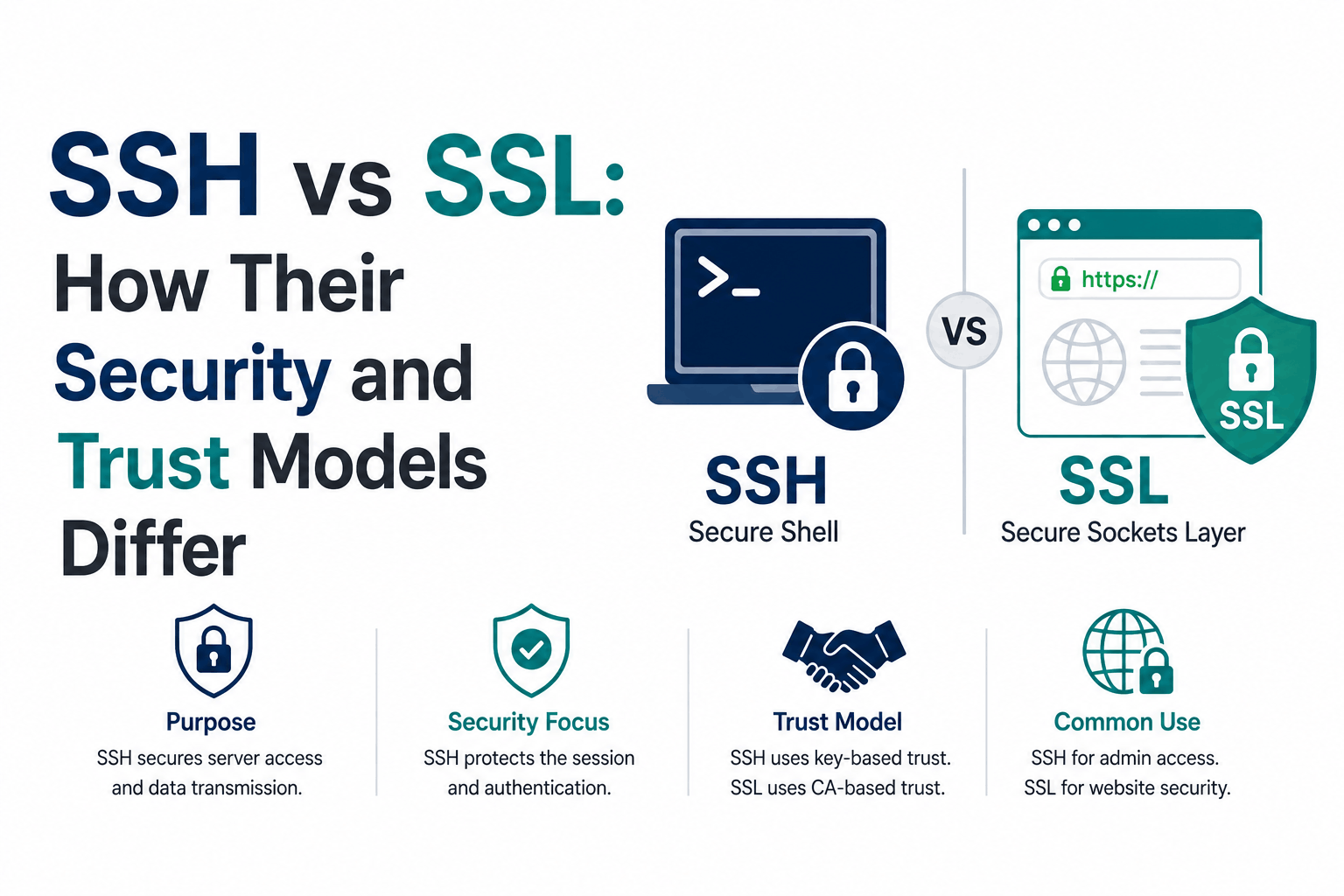
SSH and SSL are both cryptographic protocols that provide authenticated, encrypted connections. They share the same underlying mathematics: asymmetric key pairs for authentication, symmetric encryption for data, and hash-based message authentication for integrity. A developer working in a Linux terminal uses SSH to manage servers. A browser uses SSL/TLS to secure web traffic. On the surface they look similar enough to confuse.
The meaningful difference is not in the encryption (both are strong) or in the use cases (both are obvious). The meaningful difference is in how they establish trust. SSL uses Certificate Authorities: a publicly trusted third party vouches for the server’s identity and issues a certificate to prove it. SSH uses Trust On First Use: the client connects to the server, stores the server’s public key fingerprint the first time, and trusts that fingerprint on future connections. No CA involved, no certificate issued, no third party.
That trust model difference explains everything that looks superficially different between SSH and SSL: why SSL needs certificates and SSH does not, why SSL has a PKI ecosystem with CAs and trust stores and SSH does not, why the first SSH connection to a new server shows a fingerprint warning and HTTPS connections do not, and why compromising a CA is an attack on the entire SSL web while there is no equivalent central attack surface in SSH.
How SSH Works
SSH (Secure Shell) is a protocol for encrypted remote access to systems. It replaced Telnet and rsh, which transmitted everything including passwords in plaintext. An SSH connection allows a user to run commands on a remote machine, transfer files, and tunnel other protocols through the encrypted channel as if they were sitting at the console of the remote machine.
The SSH handshake and server authentication
When an SSH client first connects to a server, the server presents its host key: a public key that identifies the server. The client does not have a certificate to validate against. It has no CA to consult. Instead, it shows the user the key’s fingerprint, a short hash of the public key, and asks whether to trust it. If the user accepts, the client stores the host key fingerprint in a known_hosts file. On every subsequent connection to that server, the client compares the server’s presented host key against the stored fingerprint. If they match, the connection proceeds. If they do not, the client shows a stern warning that the server’s key has changed, which could indicate a MITM attack or simply that the server was rebuilt.
This model is called Trust On First Use, or TOFU. It provides no protection on the very first connection: if an attacker is positioned to intercept the first SSH connection, they can present their own host key and the user may accept it. After that first connection, the stored fingerprint creates a persistent record that detects changes on future connections.
SSH user authentication
After the server proves its identity (via the stored host key), the client must prove its identity to the server. SSH supports two primary authentication methods. Password authentication sends the user’s password encrypted inside the already-established SSH session. The server verifies it against the account password. This is simple but vulnerable to brute-force attacks and password reuse.
Public key authentication is stronger and more common in professional environments. The user generates a key pair: a private key stored locally and a public key placed in the server’s authorized_keys file. During authentication, the server sends a challenge that only the holder of the matching private key can sign correctly. The private key signs the challenge without being transmitted. The server verifies the signature using the stored public key. This is resistant to brute-force, phishing, and credential reuse.
What SSH is used for
- Remote server access: logging into Linux/Unix servers, running commands, editing configuration files
- File transfer: SCP (Secure Copy Protocol) and SFTP (SSH File Transfer Protocol) both run over SSH
- Port forwarding and tunneling: routing other protocols securely through the SSH channel
- Automated deployment: CI/CD pipelines authenticate to servers using SSH keys to deploy code
- Network device management: routers, switches, and firewalls expose SSH management interfaces
- Git operations: GitHub, GitLab, and Bitbucket support SSH key authentication for repository access
How SSL/TLS Works
SSL (Secure Sockets Layer) and its successor TLS (Transport Layer Security) encrypt connections between clients and servers for any TCP-based protocol. In practice, SSL refers to the deprecated SSLv3 and earlier. TLS 1.2 and TLS 1.3 are the current versions. The term SSL is retained in common usage because it is familiar, but the technology being described is TLS.
The most common application is HTTPS: HTTP layered on top of TLS. Every browser connection to a website over HTTPS uses TLS. The protocol also secures email (SMTPS, IMAPS, POP3S), VPNs, database connections, and any other application that needs encrypted, authenticated communication over TCP.
The TLS handshake and CA-based trust
When a browser connects to an HTTPS server, the server presents its TLS certificate. The certificate contains the server’s public key and is signed by a Certificate Authority. The browser validates the certificate by checking the CA’s signature, verifying that the CA is in the browser’s trusted CA list, confirming the domain name in the certificate matches the domain being visited, and checking that the certificate has not expired and has not been revoked.
This is the CA PKI model. The CA has independently verified the certificate holder’s identity (at minimum by confirming they control the domain) and signed the certificate to assert this. The browser trusts the server not because it has seen the server before, but because a trusted third party has vouched for the server’s identity. This means any browser connecting to any website it has never visited before can immediately establish trust, without any prior interaction, as long as the certificate chains to a trusted CA root.
The tradeoff is the CA ecosystem itself. Thousands of intermediate CA certificates chain to a small number of trusted root CAs. If any CA in this hierarchy issues a certificate fraudulently or is compromised, every browser in the world trusts that fraudulent certificate until it is revoked or the CA is removed from trust stores. This happened with Symantec in 2018 and with several other CAs over the years.
What SSL/TLS is used for
- HTTPS: every web browser connection to a website, API call, and CDN request
- Email transmission: SMTPS (SMTP over TLS), IMAPS (IMAP over TLS), POP3S
- VPN protocols: OpenVPN and similar TLS-based VPN implementations
- Database connections: encrypted connections to PostgreSQL, MySQL, MongoDB
- mTLS: mutual TLS for service-to-service authentication in microservices and APIs
- IoT device identity: TLS client certificates for authenticated device connections
The Trust Model: The Fundamental Difference
Both SSH and SSL/TLS use asymmetric cryptography and session encryption. The question they answer differently is: how does the client know it is connecting to the right server on the very first connection?
| Trust question | SSH answer | SSL/TLS answer |
| How does the client trust the server on first connection? | It does not have guaranteed trust. TOFU: the user accepts the fingerprint and the client stores it. | CA PKI: the server presents a certificate signed by a trusted CA already in the client’s trust store. |
| What establishes the server’s identity? | The server’s host key fingerprint, stored locally by each client after first connection. | An X.509 certificate signed by a CA that verified the server’s domain ownership or business identity. |
| What happens when the server’s identity changes? | Client warns loudly that the host key fingerprint changed, which may indicate a MITM attack. | Certificate validation fails, browser blocks the connection with an error. |
| Is there a trusted third party involved? | No. Trust is bilateral between the client and server. | Yes. Certificate Authorities are trusted third parties that issue and sign certificates. |
| What is the attack surface for trust? | No central authority. Attacking one server’s SSH setup does not affect other servers. | CAs. A compromised CA can issue fraudulent certificates trusted by every browser. |
| How is server identity renewed? | Host keys do not expire. Changing the host key breaks all clients’ stored fingerprints. | Certificates have expiry dates (200 days maximum from March 2026). Renewal is required periodically. |
The TOFU model in SSH is often described as weaker than CA-based PKI because it has no trust on first connection. But it has a compensating property: there is no central authority to compromise. The Symantec distrust event affected millions of HTTPS sites. There is no equivalent event in SSH because there is no CA to compromise. Both models have tradeoffs; neither is strictly superior.
What SSH and SSL Share: The Same Cryptographic Foundations
Despite different trust models and use cases, both protocols rely on the same fundamental cryptographic building blocks.
| Mechanism | In SSL/TLS | In SSH |
| Asymmetric key pairs | RSA or ECDSA keys used in the certificate and TLS handshake for key exchange and server authentication | RSA, ECDSA, or Ed25519 host keys for server authentication; user key pairs for client authentication |
| Symmetric encryption | AES-GCM or ChaCha20-Poly1305 for session data encryption after the handshake | AES, ChaCha20 for session data encryption after the handshake |
| Key exchange | ECDHE or DHE ephemeral Diffie-Hellman to derive session keys | Diffie-Hellman or ECDH variants to derive session keys |
| Message authentication | HMAC or AEAD for data integrity; TLS 1.3 uses AEAD exclusively | HMAC for data integrity in each packet |
| Forward secrecy | Mandatory in TLS 1.3; achieved with ephemeral key exchange | Achieved with ephemeral DH key exchange |
| Hash functions | SHA-256, SHA-384 for certificate signing, HMAC, HKDF | SHA-256, SHA-512 for key exchange, HMAC |
Key Differences Side by Side
| Property | SSH | SSL/TLS |
| Primary use | Secure remote terminal access, file transfer, tunneling | Encrypting application-layer protocols: HTTP, email, databases |
| Trust model | Trust On First Use. Host key stored on first connection. | Certificate Authority PKI. Server identity verified by trusted CA before any connection. |
| Certificates | No certificates. Uses bare public/private key pairs (host keys and user keys). | X.509 certificates required for servers. CA signs the certificate to establish identity. |
| Client authentication | Optional password auth or mandatory key-based auth. Client is the user. | Usually one-way: server authenticates to client. mTLS adds client certificate authentication. |
| Default port | 22 | 443 (HTTPS) |
| Protocol stack | SSH is its own protocol stack: transport, authentication, and connection layers. | TLS is a transport layer that other protocols (HTTP, SMTP, etc.) run on top of. |
| PKI ecosystem required? | No. No CAs, no certificate authorities, no trust stores needed. | Yes. Depends on a global infrastructure of CAs and browser/OS trust stores. |
| Key expiry | SSH host keys and user keys do not expire by default. | TLS certificates have mandatory expiry. Maximum 200 days from March 2026. |
| Standardized by | IETF RFC 4250-4256 (SSH-2) | IETF RFC 8446 (TLS 1.3), RFC 5246 (TLS 1.2) |
When to Use SSH and When to Use SSL/TLS
SSH and SSL are not alternatives in any practical sense. They serve different purposes and are used simultaneously in almost every production environment.
Use SSH when: logging into a remote server, transferring files between machines, running automated deployment scripts, managing network hardware, tunneling a service through an encrypted channel, or authenticating to a code repository.
Use SSL/TLS when: serving any web traffic over HTTPS, encrypting email transmission between servers, authenticating services to each other in a microservices architecture, protecting database connections, or any scenario where a publicly identifiable server needs to be trusted by arbitrary clients without prior arrangement.
They are complementary. A production server uses SSH to allow administrators to log in and manage it. The same server uses SSL/TLS to serve HTTPS traffic to visitors. These are independent security layers for different communication channels.
A common question: can SSH be used instead of SSL for a web server? No, in any practical sense. SSH is a full protocol for terminal access and file transfer. HTTP does not run over SSH natively. Browsers do not support SSH. SSL/TLS was specifically designed to secure arbitrary application protocols, which is why it is composable with HTTP, SMTP, and any other TCP-based protocol, while SSH is self-contained for remote access use cases.
Frequently Asked Questions
What is the main difference between SSH and SSL?
SSH is a protocol for secure remote access to servers and file transfer. SSL/TLS is a protocol for encrypting connections between clients and servers, most commonly used for HTTPS web traffic. The more important difference is in the trust model: SSL uses Certificate Authorities to establish server identity, where a trusted third party verifies and signs the server’s certificate. SSH uses Trust On First Use, where the client stores the server’s host key fingerprint on first connection and trusts it on subsequent connections without any CA involvement.
Do SSH and SSL both use encryption?
Yes. Both protocols use symmetric encryption (typically AES) for session data after the handshake. Both use asymmetric key pairs for authentication and key exchange. Both use hash-based message authentication codes for integrity. The underlying cryptographic tools are similar. The protocols differ in how they use those tools (SSH’s multi-layer architecture versus TLS’s composable approach) and critically in their trust models for establishing server identity.
Why does SSH not need a certificate like SSL does?
SSL certificates exist to solve the problem of first-connection trust: how does a browser trust a server it has never connected to before? The CA vouches for the server’s identity, and browsers trust the CA. SSH solves the same problem differently with TOFU: the client connects the first time and stores the fingerprint, trusting the server from that point on. Each approach has tradeoffs. SSL’s CA approach provides trust before any prior contact but creates central attack surfaces (CAs). SSH’s TOFU approach is decentralized but vulnerable to MITM on the first connection.
Can SSH and SSL be used together?
They are regularly used together and solve different problems in the same environment. A Linux web server typically uses SSL/TLS (via Nginx or Apache) to serve HTTPS traffic to visitors, and SSH to allow administrators to log in and manage the server. These are completely independent: the SSL certificate on port 443 has nothing to do with the SSH host key on port 22. Some advanced setups use SSH tunneling to forward traffic securely through an SSH connection, which adds another encryption layer on top of an existing SSL connection.
Is SSH more secure than SSL?
This is not a meaningful comparison because they serve different purposes. Both provide strong encryption and authentication when correctly configured. SSH’s decentralized trust model avoids the CA ecosystem’s vulnerabilities but requires users to verify host key fingerprints on first connection. SSL’s CA-based model provides immediate trust for unknown servers but depends on the integrity of the CA ecosystem. Each has tradeoffs appropriate to its use case. For securing web traffic accessible to arbitrary users on the public internet, SSL/TLS with CA-based trust is the correct tool. For securing administrator access to a known set of servers, SSH is the correct tool.

